
Introduction
Odoo 20 introduces improvements to purchase orders, supplier comparisons, delivery tracking, quality monitoring and vendor bill matching. These updates aim to reduce routine procurement administration, improve visibility across teams and help businesses make better purchasing decisions.
Purchasing is more than selecting products and placing orders. It involves comparing suppliers, negotiating prices, monitoring delivery schedules, checking the quality of received goods and ensuring that supplier invoices match what the business actually ordered and received.
When these activities are managed across disconnected processes, small errors can quickly become costly. A purchase order may contain unclear product descriptions, a supplier may deliver fewer items than expected, or an invoice may include prices and quantities that differ from the original agreement. Without proper tracking, these discrepancies can go unnoticed until they affect stock levels, payments or financial reports.
Odoo 20 introduces several improvements designed to address these everyday procurement challenges.
During a presentation at Odoo Experience 2026, Thomas demonstrated the updated Purchasing workflow using a fictional board-game business called Dice & Deck. The demonstration followed the procurement process from preparing purchase orders and comparing suppliers to receiving goods, checking supplier quality and matching vendor bills.
The central idea behind these updates is simple: make routine purchasing activities easier to manage, automate checks where possible and bring exceptions to the attention of the right people.
Let's explore what has changed and how these improvements can support purchasing teams.
Before the Goods Arrive: Create and Manage Purchase Orders More Effectively
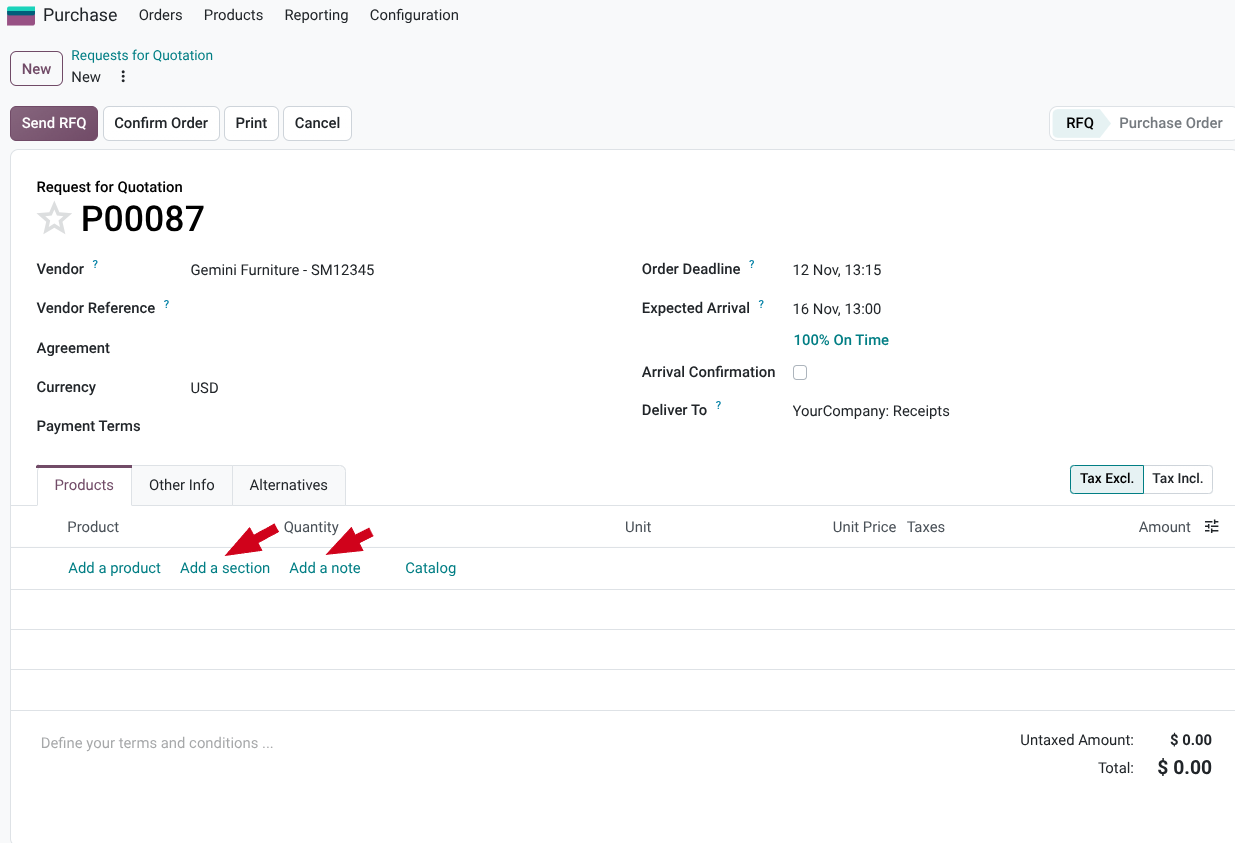
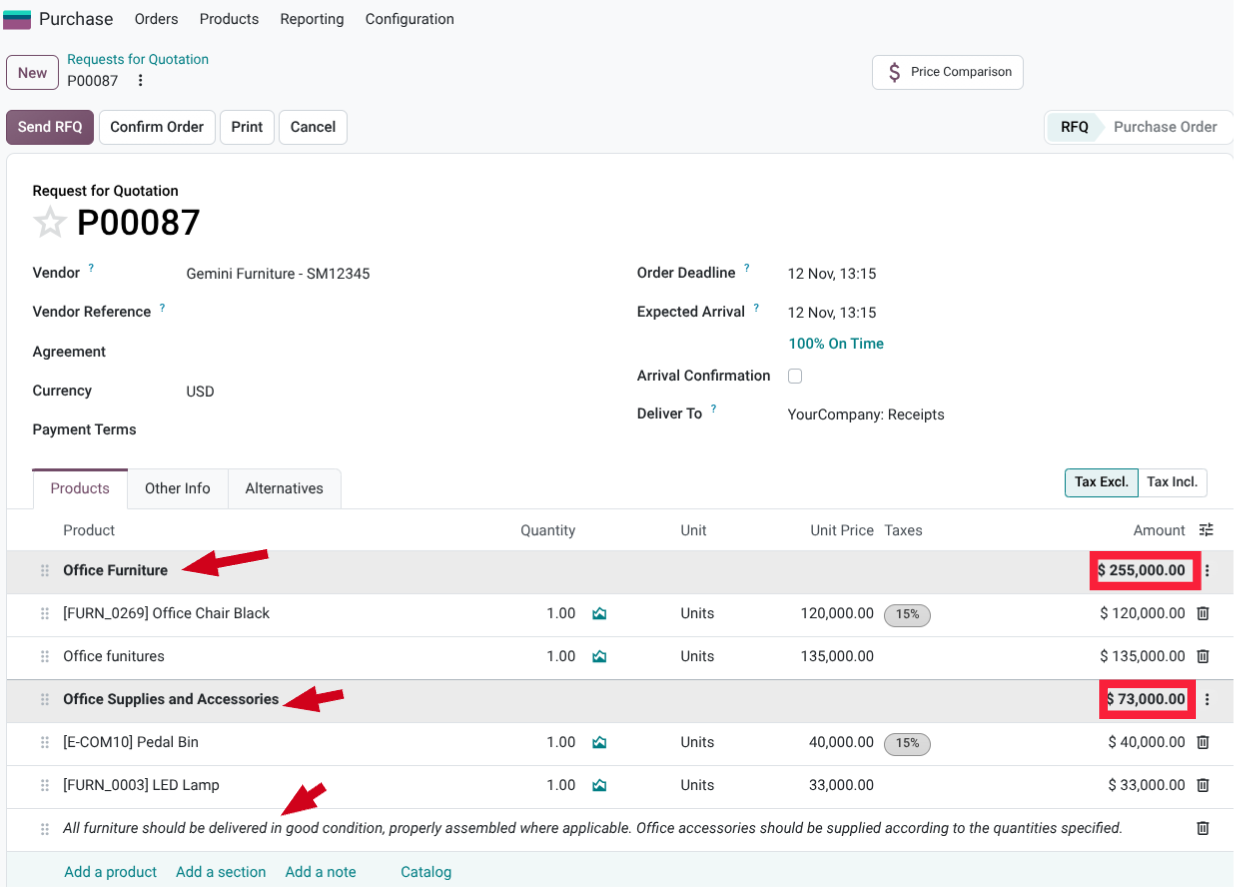
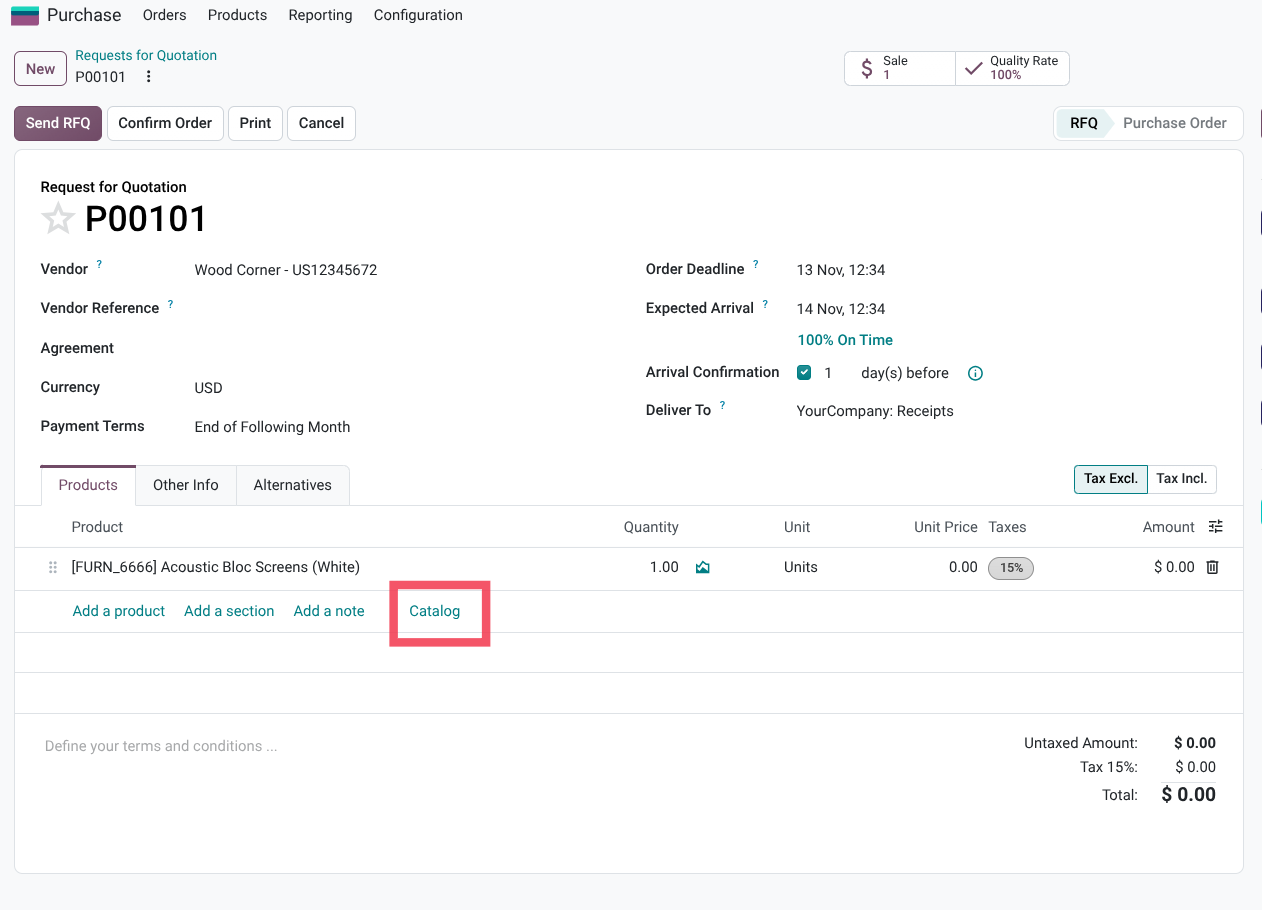
Purchase agreements and templates can now use sections and notes, much like documents in the Sales app. A buyer can group items into categories—for example, puzzles and board games—and make a lengthy order easier to review. Subtotals help clarify how the order is composed.
That structure is more than cosmetic. When buyers and suppliers can quickly understand what an order contains, it is easier to spot omissions, discuss changes and keep the purchasing record readable as it grows.
Compare suppliers—and divide the order when it makes sense
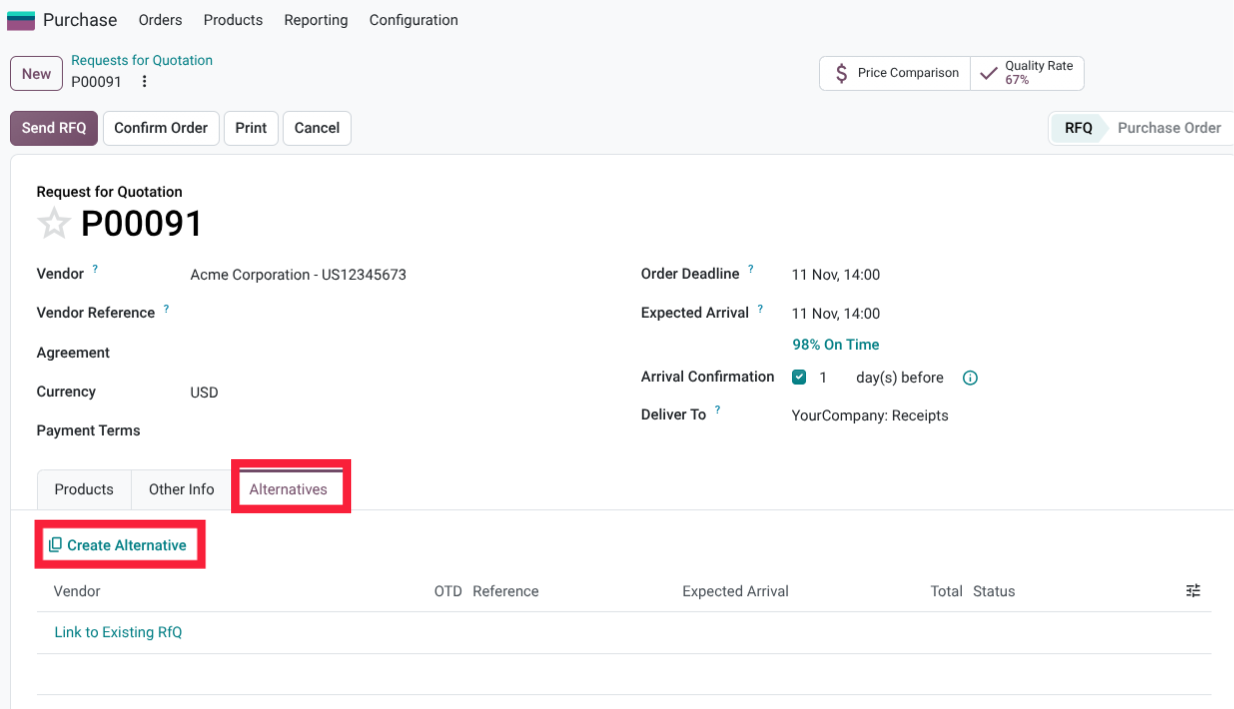
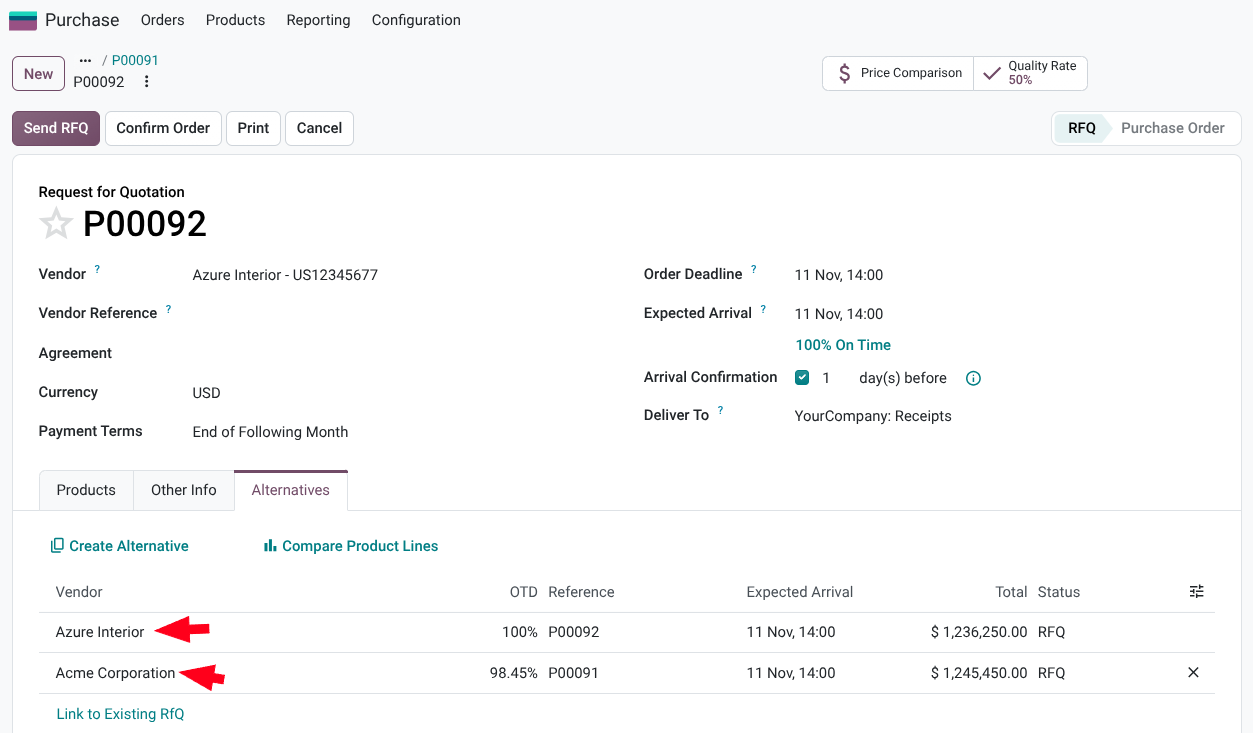
The presentation also showed improvements to purchase alternatives. Once enabled in settings, buyers can compare competing supplier offers and, in the demonstrated workflow, split quantities among suppliers from the comparison view.
That can be useful when the best choice is not a single supplier. A team might source some units from a supplier that can deliver sooner and the remainder from a lower-cost option. The goal is to make that trade-off easier to manage without losing sight of the overall order.
Order in packages from the catalog
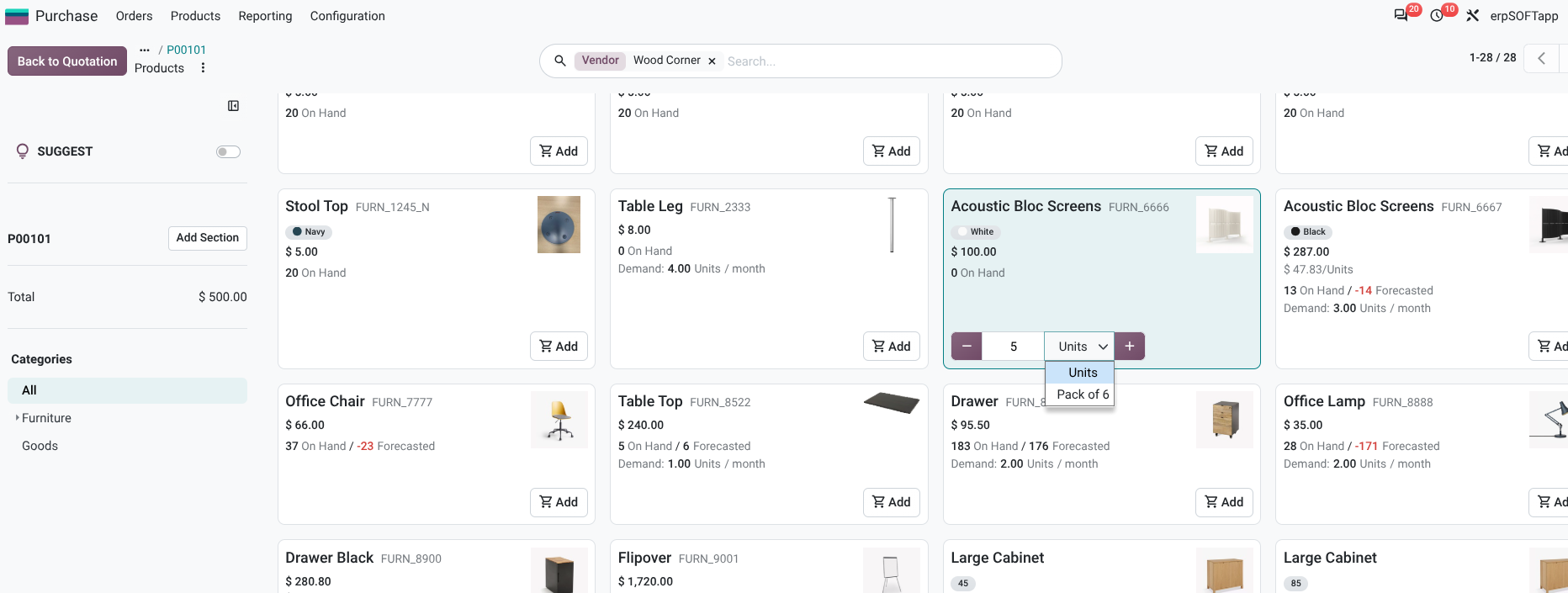
For products sold in predefined pack sizes, buyers can select packages directly in the catalog—for example, a pack of six—with pricing adjusted to reflect the unit of measure. This helps align the order with how the product is actually purchased and supplied.
While goods are in transit: make delivery and quality exceptions visible
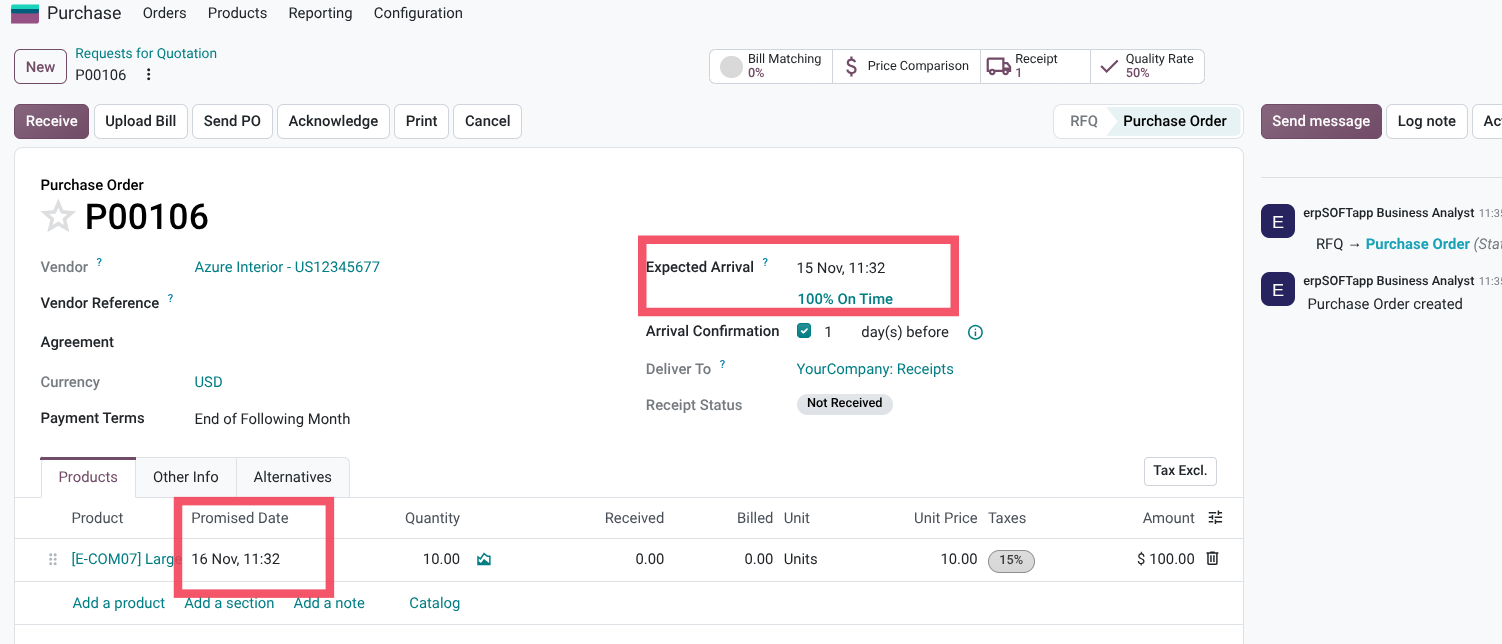
Separate the promised date from the expected date
A supplier’s promised delivery date and the date the business currently expects the goods to arrive are not always the same. Odoo 20 distinguishes between them, giving teams a clearer basis for tracking on-time delivery (OTD).
That distinction can make supplier-performance reporting more meaningful: teams can compare what was committed with what actually happened, instead of relying on a single date that may be overwritten as circumstances change.
Carry urgency through to the warehouse
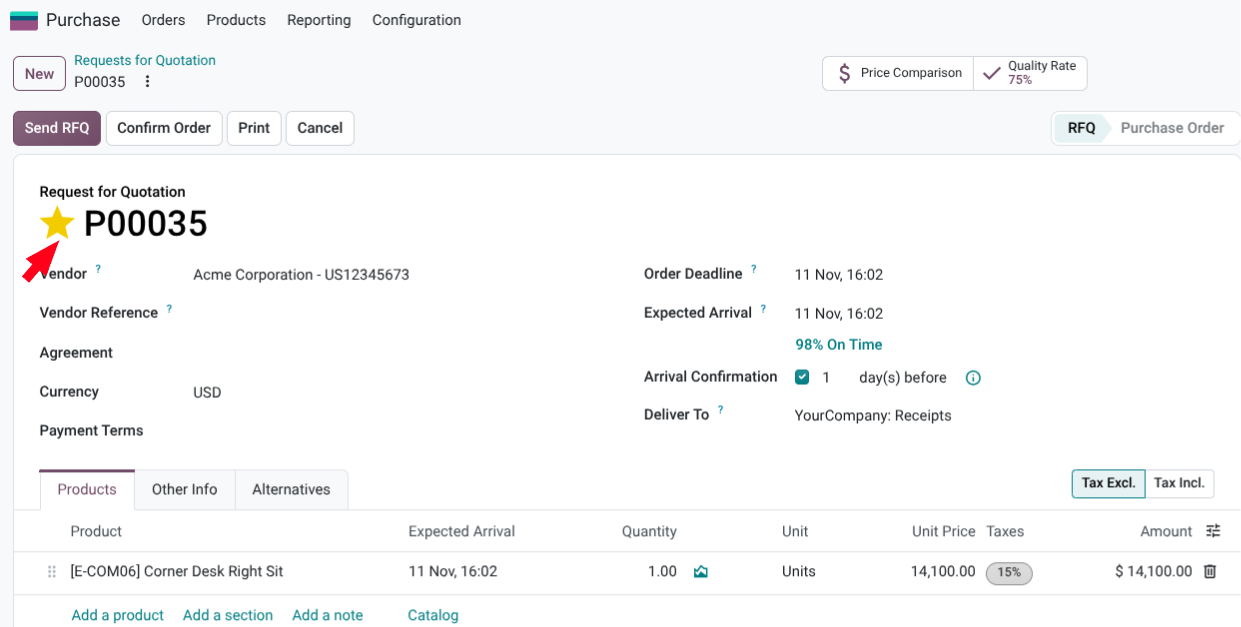
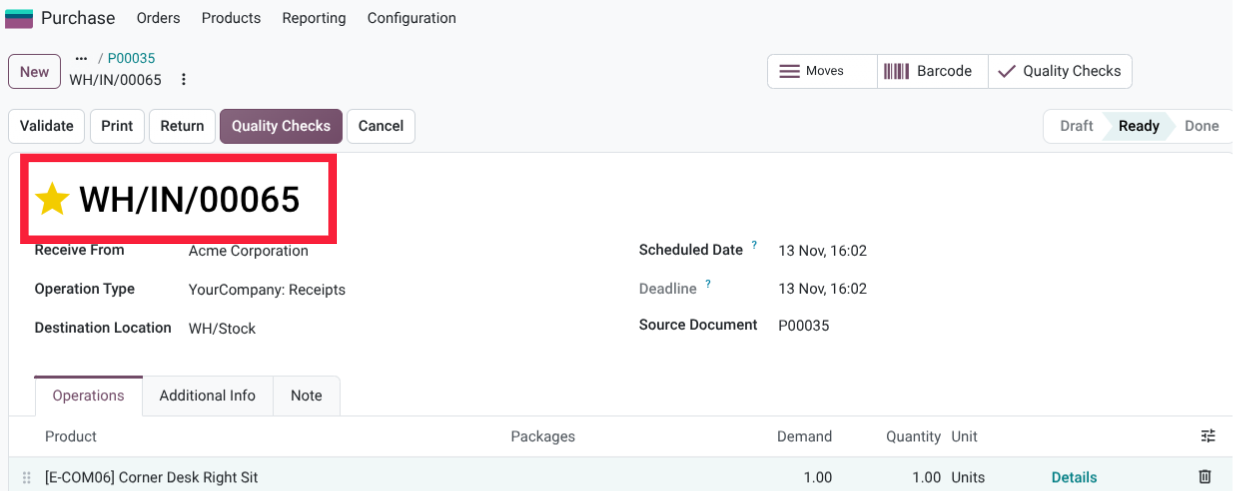
Purchasing managers can mark a purchase order as a priority using a star. In the workflow shown, that priority is carried over to the warehouse receipt, helping the receiving team see which incoming goods need attention first.
The benefit is operational continuity: urgency communicated by the buyer does not disappear when the work passes to the warehouse.
The Bigger Picture: Manage Procurement by Exception
One of the most important ideas behind the Odoo 20 Purchasing updates is the shift towards managing by exception.
This means that instead of spending equal time checking every purchase order, receipt and vendor bill, teams can rely on the system to handle routine tasks and bring unusual situations to their attention.
Consider the complete purchasing workflow:
- Prepare the order: Organise products into sections, select the appropriate packages and create a structured purchase document.
- Compare suppliers: Review competing offers and allocate quantities based on price, availability and delivery requirements.
- Monitor delivery: Track supplier commitments, identify priority orders and monitor delivery performance.
- Receive and inspect goods: Check received quantities and quality, while ensuring that short shipments are flagged for follow-up.
- Verify supplier invoices: Match vendor bills against purchase orders and received quantities, then investigate any discrepancies.
Each stage provides information that can support the next.
The purchase order communicates what the business intended to buy. The warehouse receipt records what actually arrived. The vendor bill shows what the supplier expects to be paid.
When these records are properly connected, businesses have a clearer picture of what was ordered, what was received and what was billed.
The result is not a completely hands-off procurement process. Rather, it is a more organised workflow where purchasing professionals can spend less time on repetitive administration and more time on activities that require their expertise.
That includes negotiating better supplier terms, resolving delivery problems, reviewing supplier performance and planning future purchases.
Is Your Business Getting the Most Out of Odoo Purchasing?
Odoo's Purchasing app helps businesses manage supplier relationships, purchase orders, incoming deliverieshelps businesses manage supplier relationships, purchase orders, incoming deliveries, and vendor bills within a connected ERP system.
However, having access to these features is only part of the equation. The system must also be configured around the way the business actually operates.
For example, a manufacturing company may need purchasing workflows that account for production requirements and supplier lead times. A retailer may prioritise stock replenishment, package quantities and delivery accuracy. A distributor may need stronger visibility across multiple suppliers and warehouse locations.
This is where proper ERP implementation becomes important.
At erpSOFTapp, we help businesses implement and optimise Odoo around their operational processes. From purchasing and inventory management to accounting and other connected business functions, our focus is on ensuring that the system supports how your teams work.
If you are looking to improve procurement visibility, reduce manual processes and make better use of Odoo, speak with our team.