
Introduction
HR software works best when employees can handle everyday tasks themselves and HR teams can focus on the issues that require their attention. From requesting time off and checking work schedules to managing attendance, processing payroll, and recruiting new employees, an effective HR system should make these activities easier to manage.
However, as organisations grow, these processes can become increasingly demanding. HR teams may spend too much time correcting attendance records, following up on missing employee information, managing changing work schedules, and reviewing large numbers of job applications. Employees, meanwhile, may have limited access to the information and tools they need to manage routine HR activities.
In a session showcasing the Odoo 20 HR experience, several updates were presented to address these challenges. The improvements cover employee access, employee departures, scheduling, attendance, payroll, recruitment, and compensation.
The overall direction is clear: reduce repetitive administration, make workforce information easier to manage, and identify potential issues before they affect important HR decisions or processes.
Here are the key updates and what they could mean for businesses.
A Lighter Way For Employees to Use HR Tools
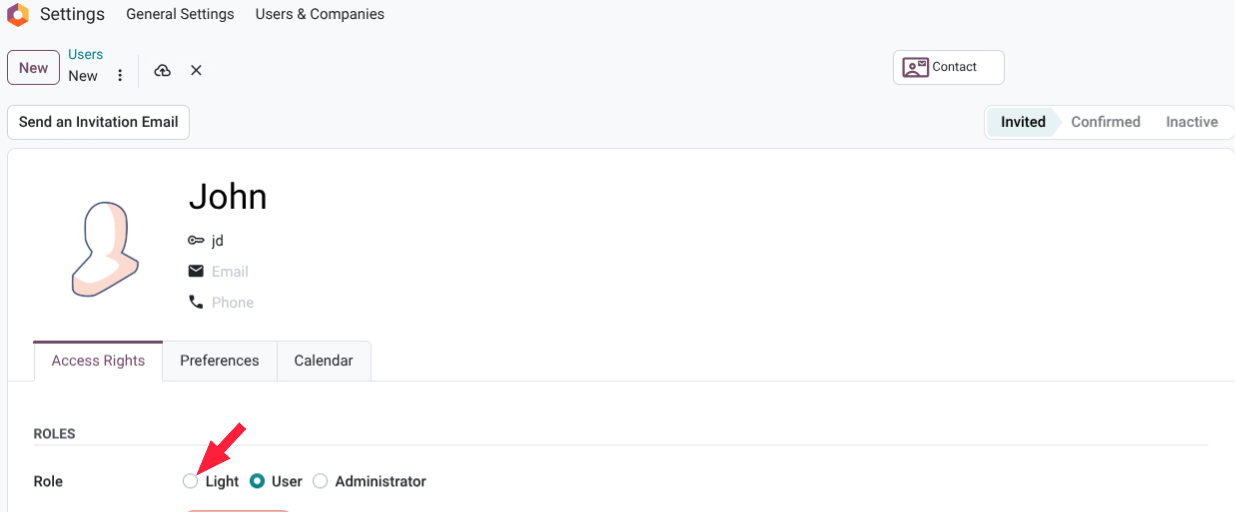
One of the headline changes is the introduction of a new Light User category.
In many organisations, not every employee needs access to the full range of an ERP system's features. Some employees only need a few tools to complete everyday HR activities, such as:
- Checking in and out of work.
- Viewing their work schedules.
- Requesting time off.
- Accessing basic employee self-service functions.
Previously, providing access to these functions could involve assigning employees broader system permissions than their roles actually required.
The Light User category is intended to provide a more limited access option for employees who primarily need these self-service capabilities.
This distinction can make employee access easier to manage. Rather than giving every employee the same level of access, organisations can provide permissions based on the tasks each person needs to perform.
It can also help protect sensitive employee information by limiting access to functions and records that employees do not need for their everyday work.
There may also be licensing cost implications, depending on Odoo's final pricing structure and how the organisation configures its users. Businesses should confirm the applicable licensing terms before making cost assumptions.
The practical benefit is a simpler way for employees to interact with HR tools while allowing HR administrators to retain control over employee records, permissions, and sensitive information.
Employee Departures Become Easier to Manage
Managing an employee's departure involves more than changing their employment status in the system.
When an employee resigns, or their employment is terminated, HR may need to track the notice period, determine the final working date, prepare relevant documentation, and ensure that the employee's records are properly maintained.
If these details are handled across different documents and manual processes, important information can be overlooked.
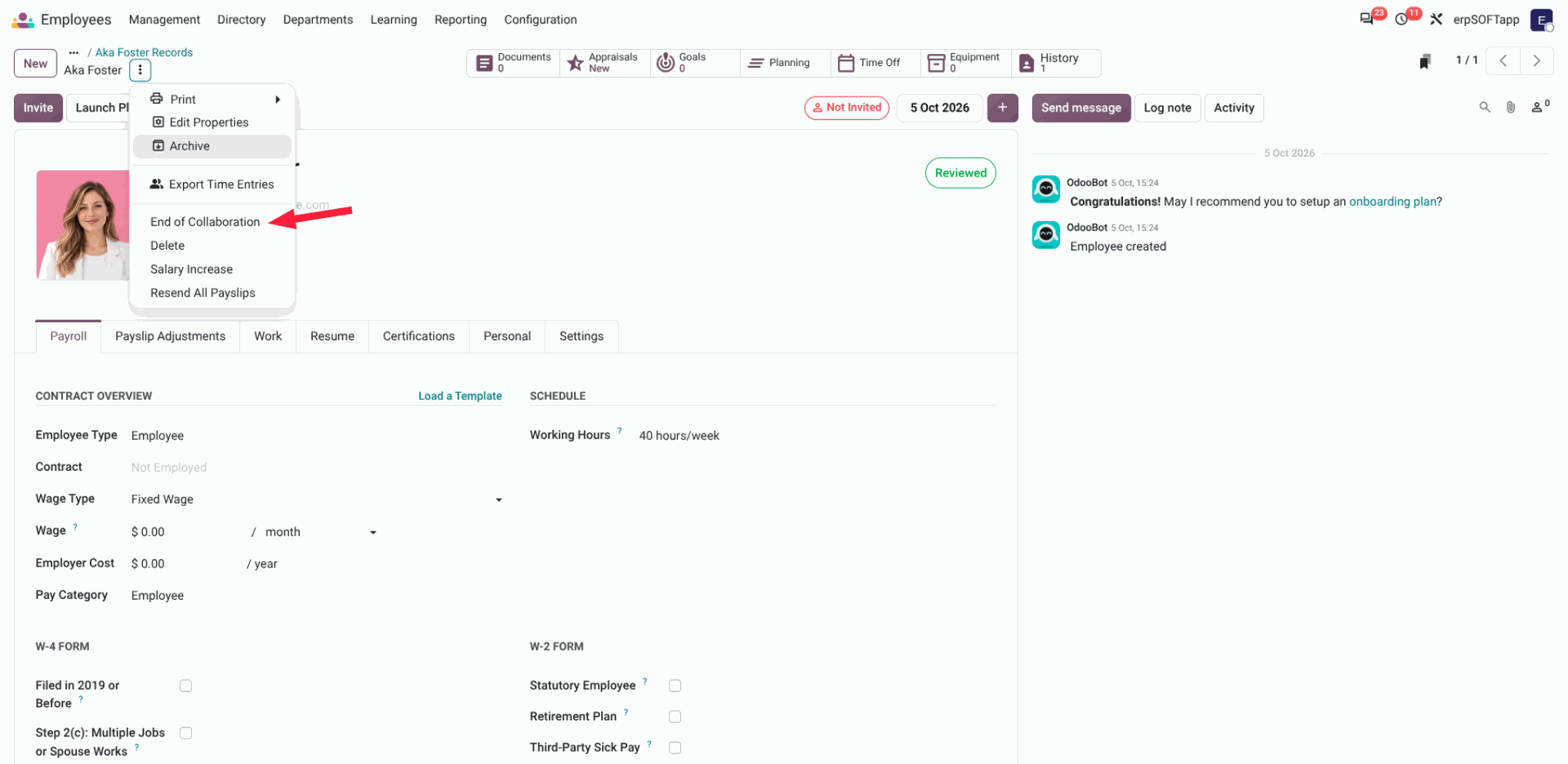
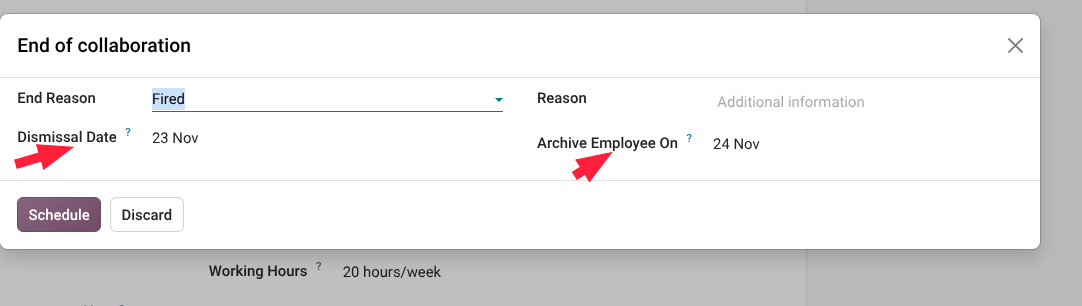
Odoo's employee lifecycle updates introduce a dedicated End of Collaboration area to help manage employee departures in a more structured way.
Instead of treating a resignation or termination as a single status change, the workflow brings together relevant departure information, including details such as the notice period and the employee's archive date.
This gives HR teams a clearer view of the departure process and helps them manage the information associated with an employee leaving the organisation.
During the demonstration, a resignation was used to show how a three-week notice period could be applied through Belgian localisation settings.
This example highlights how local employment requirements can be incorporated into an HR workflow. However, the specific rules and system behaviour will depend on the country localisation being used.
For businesses operating across different regions, it is important to confirm that the relevant localisation supports their employment requirements before relying on the workflow for employee departures.
Schedules That Match Real Working Patterns
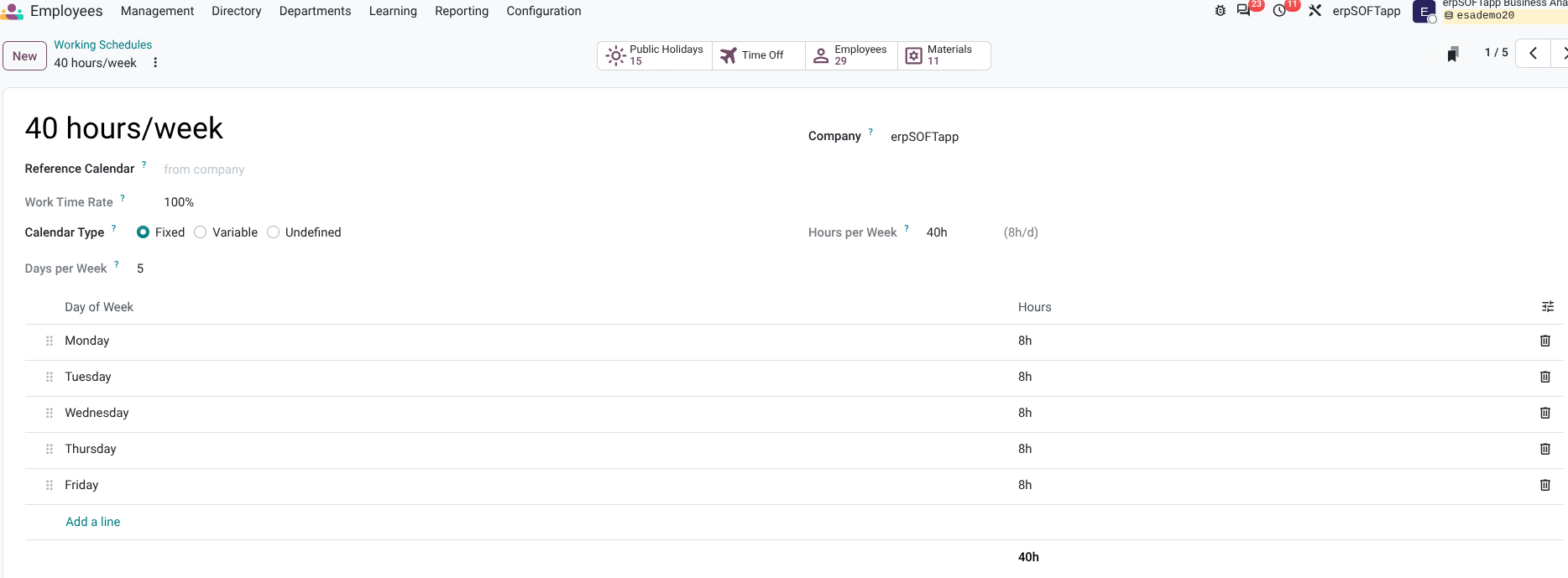
Not every organisation operates on a standard Monday-to-Friday, eight-hour working schedule.
Retail businesses, manufacturing companies, healthcare providers, hospitality businesses, and other shift-based organisations often have employees working different hours depending on operational requirements.
Managing these schedules can become difficult when the HR system relies on rigid or repetitive scheduling patterns.
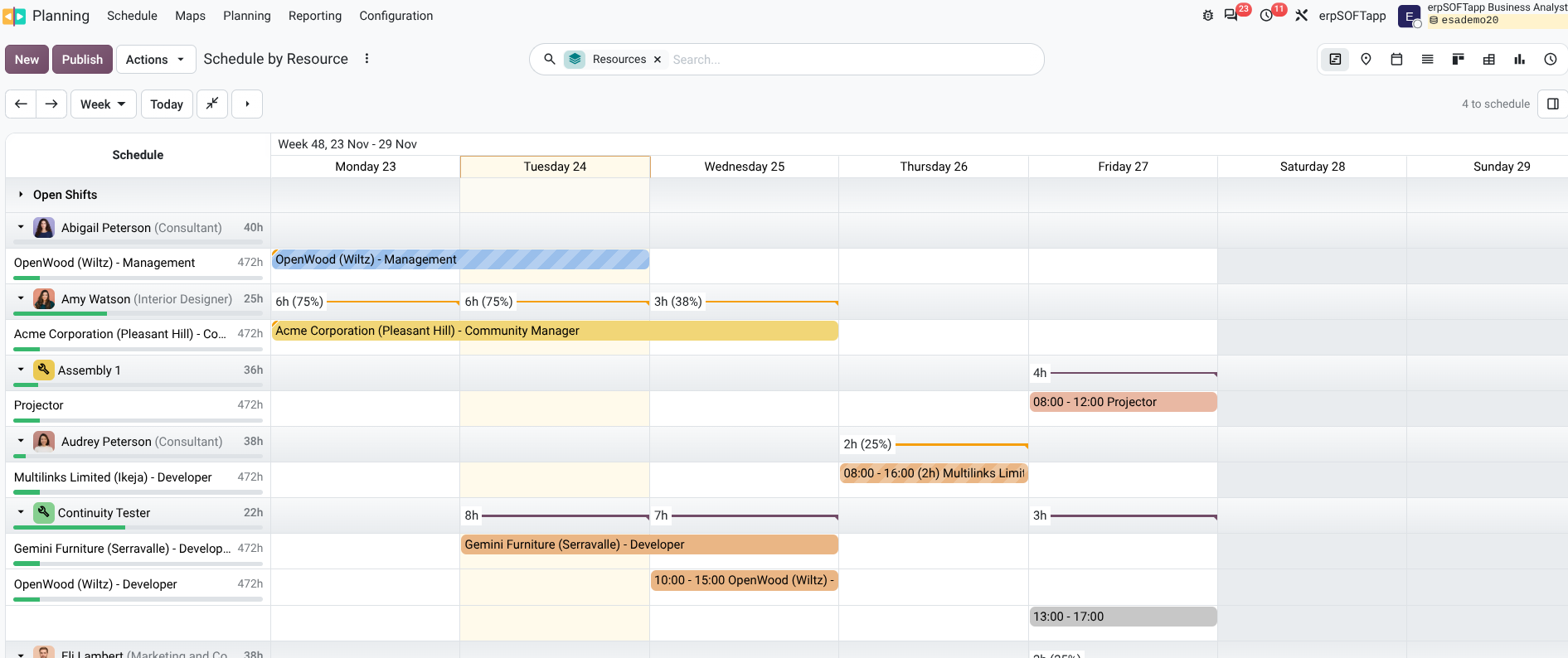
The updated scheduling approach demonstrated in Odoo 20 is designed to support more variable working hours and recurring shifts.
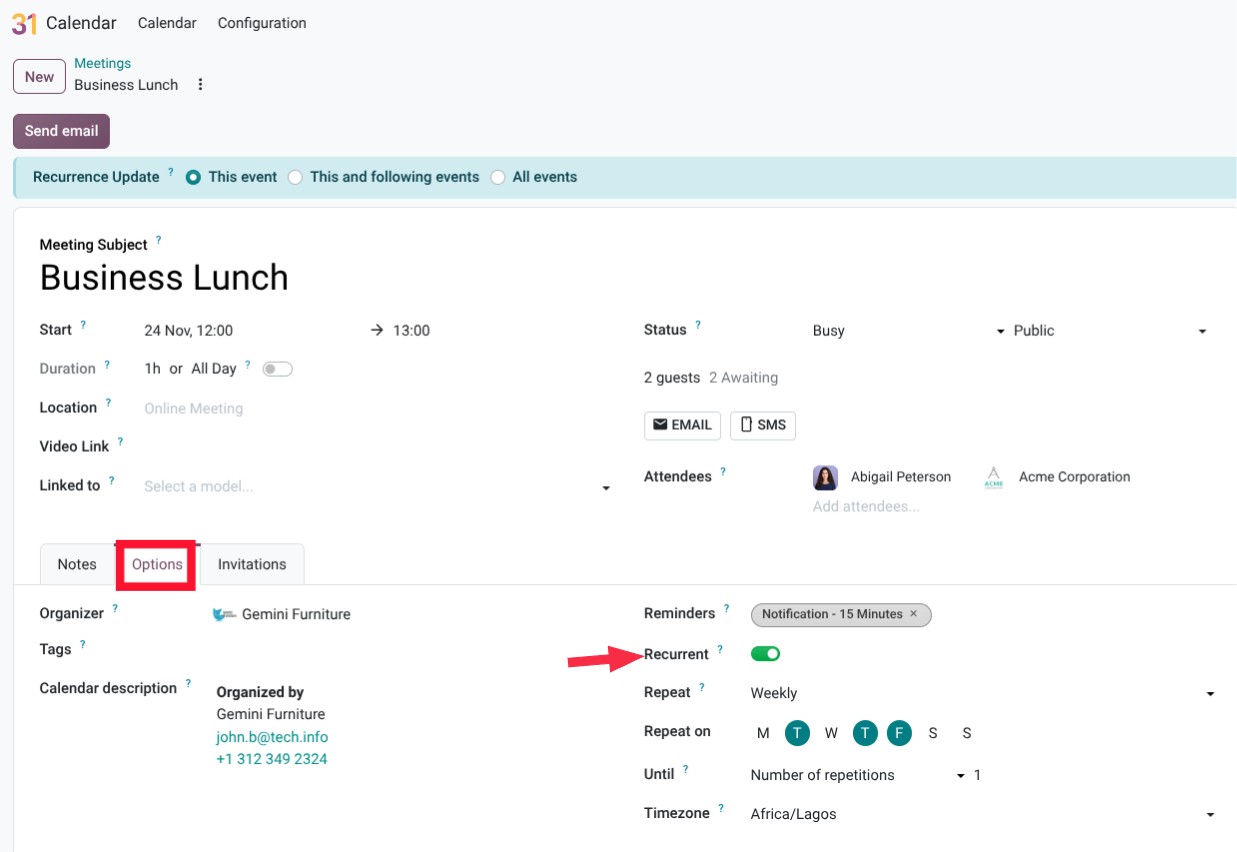
For example, the session demonstrated a recurring schedule beginning at 8:15 a.m. on Mondays, with an eight-hour shift and a recurrence set to run through the end of October.
This type of configuration allows businesses to define working patterns that repeat over a specified period without having to create each shift individually.
It can be particularly useful for organisations that need to plan employee coverage across different days, working hours, or operational periods.
For managers, more flexible scheduling can make it easier to plan staffing requirements and communicate working hours to employees. Employees can also have a clearer view of when they are expected to work.
Bring work entries and time-off classifications together
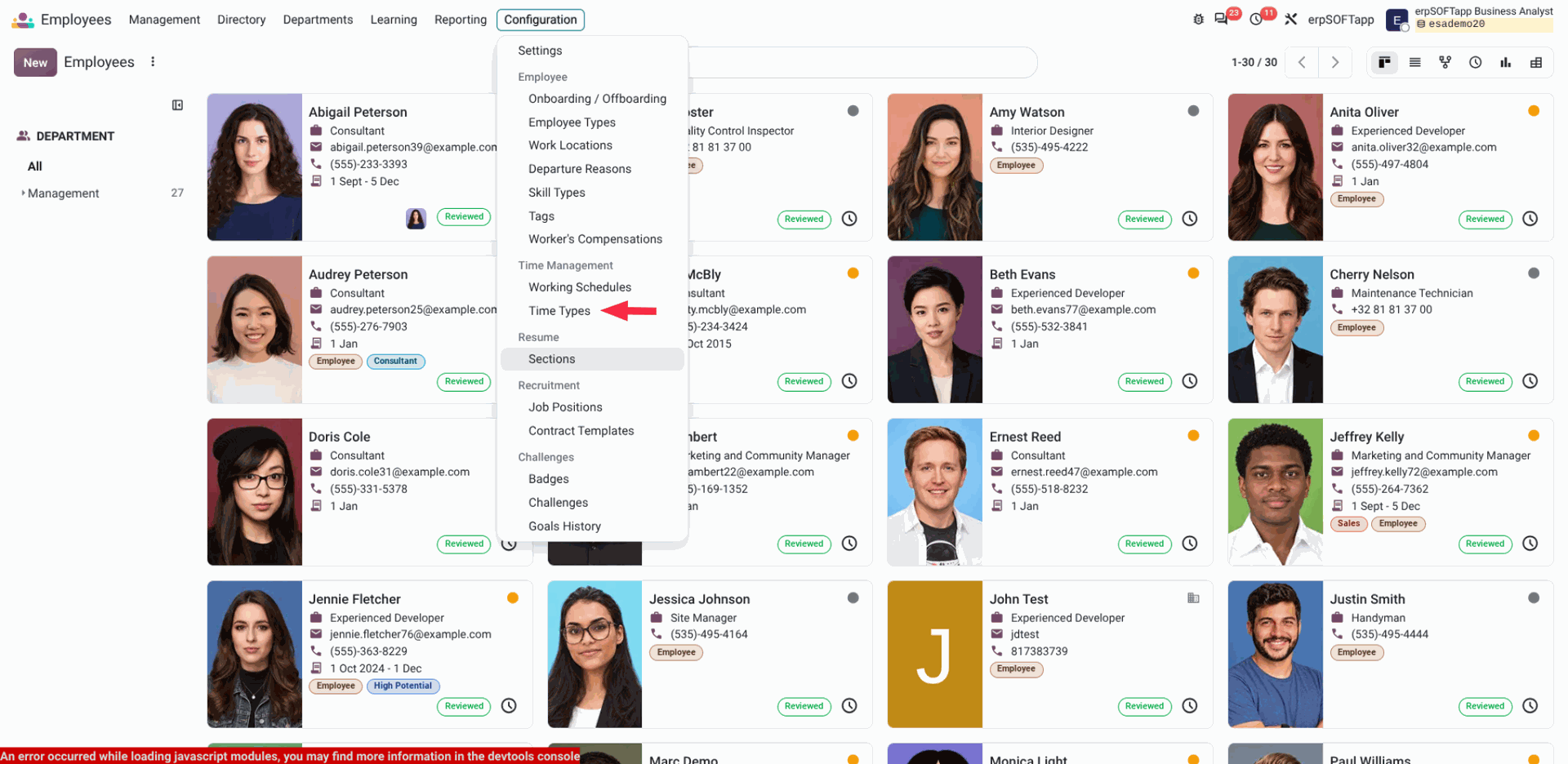
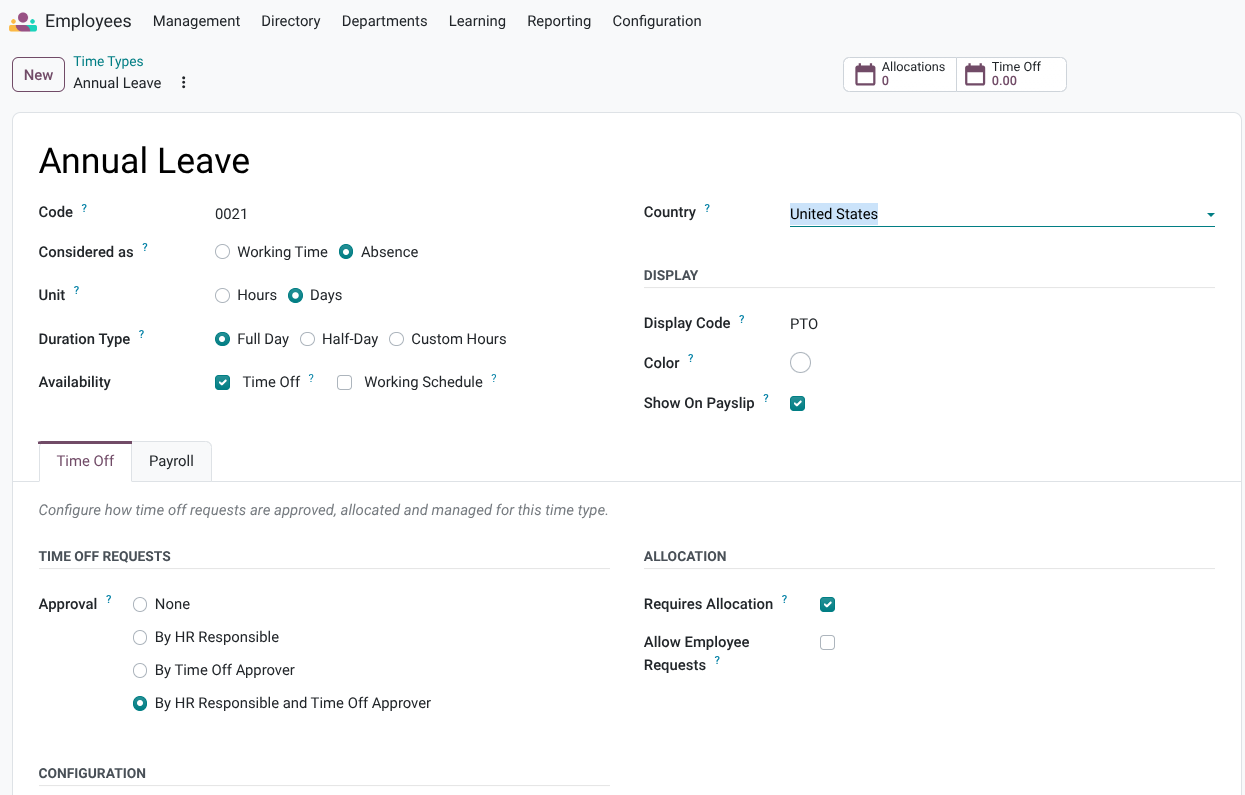
The session also presented a move towards unified Time Types, bringing work-entry and time-off classifications into one configuration point.
Work entries and time-off records are important because they help organisations understand how employees spend their working time and provide information needed for processes such as payroll.
When different classifications are managed separately, maintaining consistency across attendance, work schedules, time off, and payroll can become more difficult.
A shared configuration point is intended to make these classifications easier to manage and maintain.
For example, an organisation needs consistent definitions for different types of employee absences and work entries so that the information recorded by HR can be interpreted correctly by other HR processes.
Bringing these classifications together can help reduce overlapping definitions and make time-related information more consistent across the system.
Better Attendance Records, with Fewer Manual Steps
Attendance management is a routine but important HR responsibility.
Businesses need accurate records of when employees start and finish work, particularly when attendance information is used to monitor working hours, manage employee schedules, or support payroll processing.
However, attendance records can become inconsistent when employees forget to check out, record incorrect working hours, or fail to account for breaks.
HR teams may then have to spend additional time reviewing and correcting these records.
The Odoo 20 attendance updates focus on improving convenience for employees while helping organisations maintain more reliable attendance information.
Automatically check employees out based on their schedules
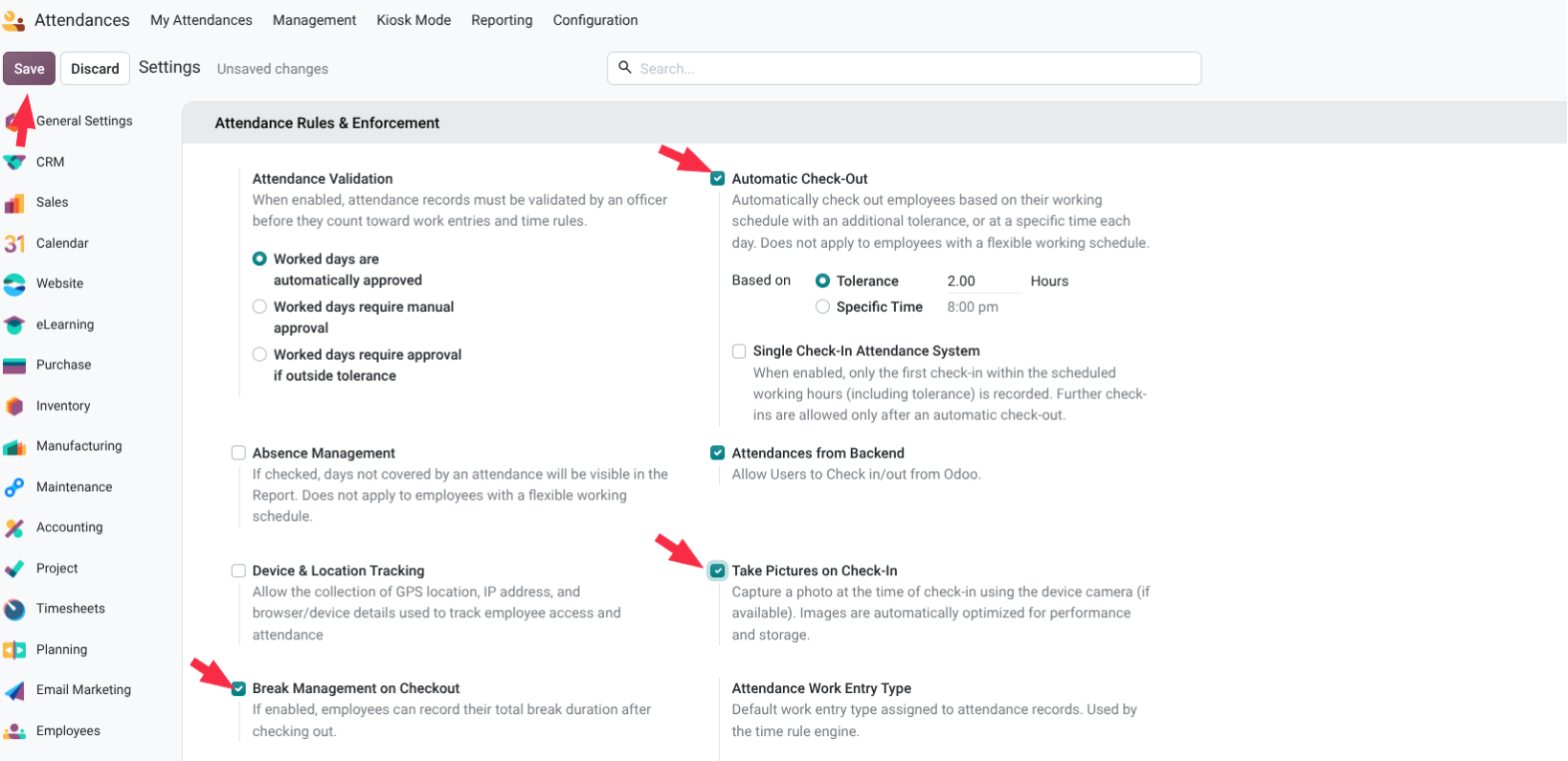
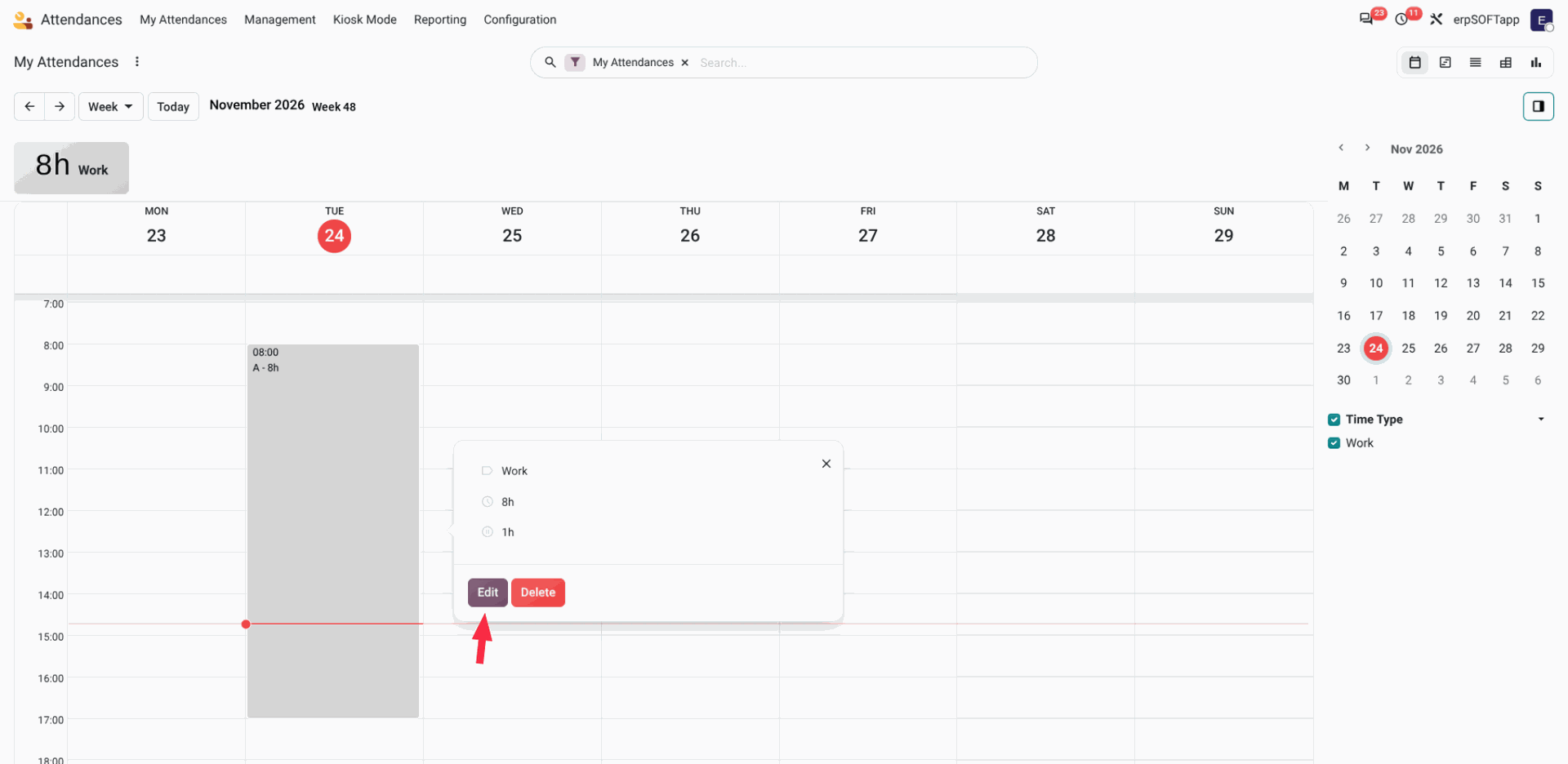
The session demonstrated automatic check-outs based on an employee's schedule.
This is intended to help address situations where employees check in but forget to check out at the end of their working day.
For example, an employee may begin work at the expected time but leave without recording their departure. Without a check-out record, the attendance information may remain incomplete and require manual correction.
Automatic check-outs based on the employee's schedule can help reduce these incomplete records and limit the need for HR staff to follow up on missing attendance entries.
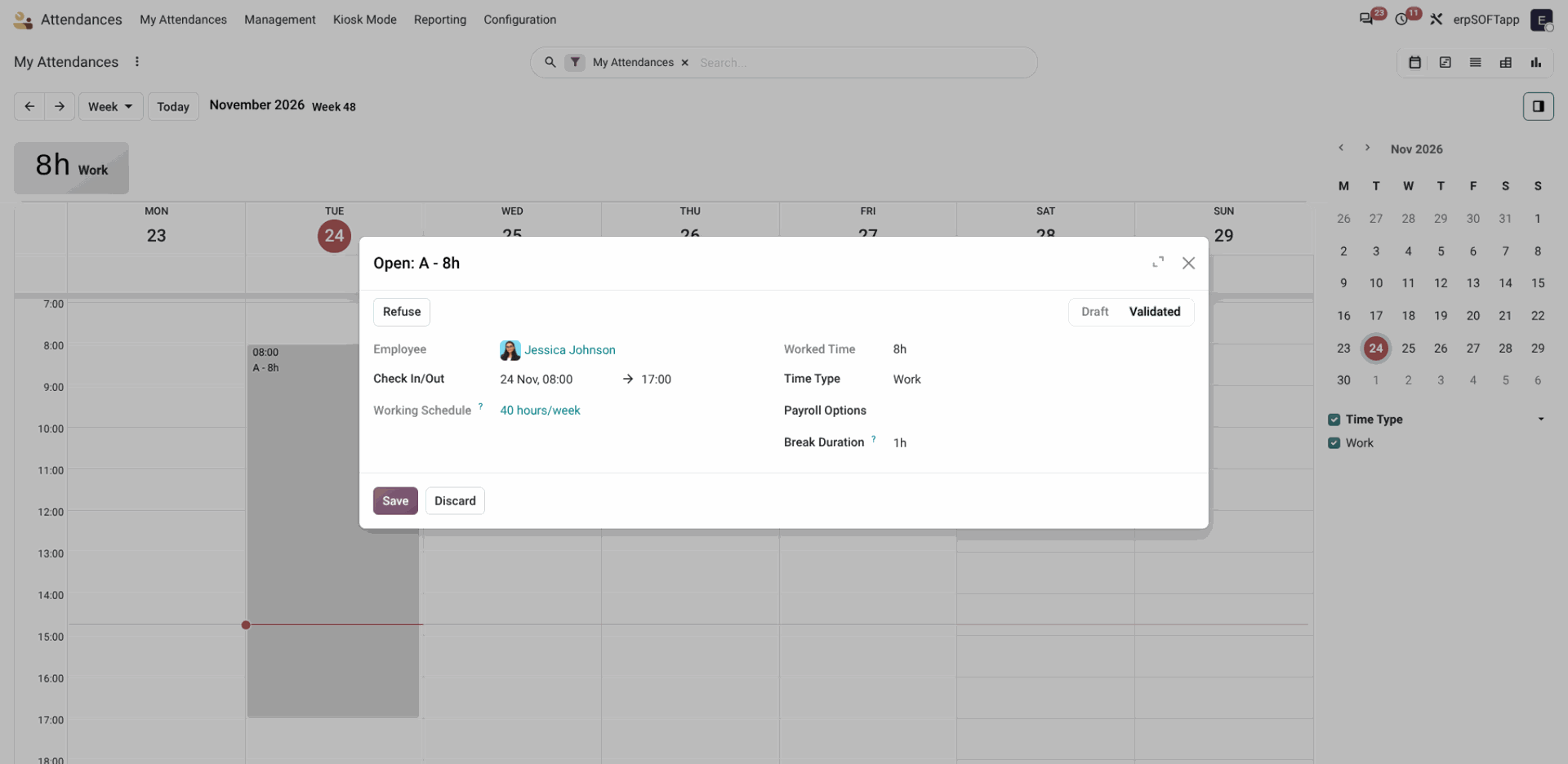
The session also showed the ability to record break duration at check-out.
This provides an additional way to capture information about time spent away from work and can help businesses maintain more complete attendance records.
These features can reduce routine administrative work, although organisations should ensure that their attendance policies and schedule configurations accurately reflect actual working arrangements.
Use photo verification to support attendance records
Photo verification was another notable feature demonstrated during the session.
The workflow showed an image associated with a check-in attempt, giving administrators a way to review whether the person using the attendance kiosk or device appears to be the employee expected.
This can provide an additional layer of verification when employees record their attendance through shared devices or kiosks.
For example, in a workplace where several employees use the same attendance terminal, a photo associated with a check-in can help administrators review questionable or disputed attendance entries.
It can also support the organisation's attendance audit trail by providing additional information about a check-in attempt.
However, businesses should consider employee privacy, applicable data protection requirements, and local employment regulations when introducing photo-based verification. They should also establish clear policies around how such images are collected, accessed, and retained.

Payroll as a Readiness Checklist
Payroll processing depends on accurate and complete employee information.
Missing bank details, outdated employee records, and incomplete payroll information can delay processing or require corrections at the last minute.
For payroll teams, discovering these issues only when preparing salaries can create unnecessary pressure, particularly in organisations with large workforces.
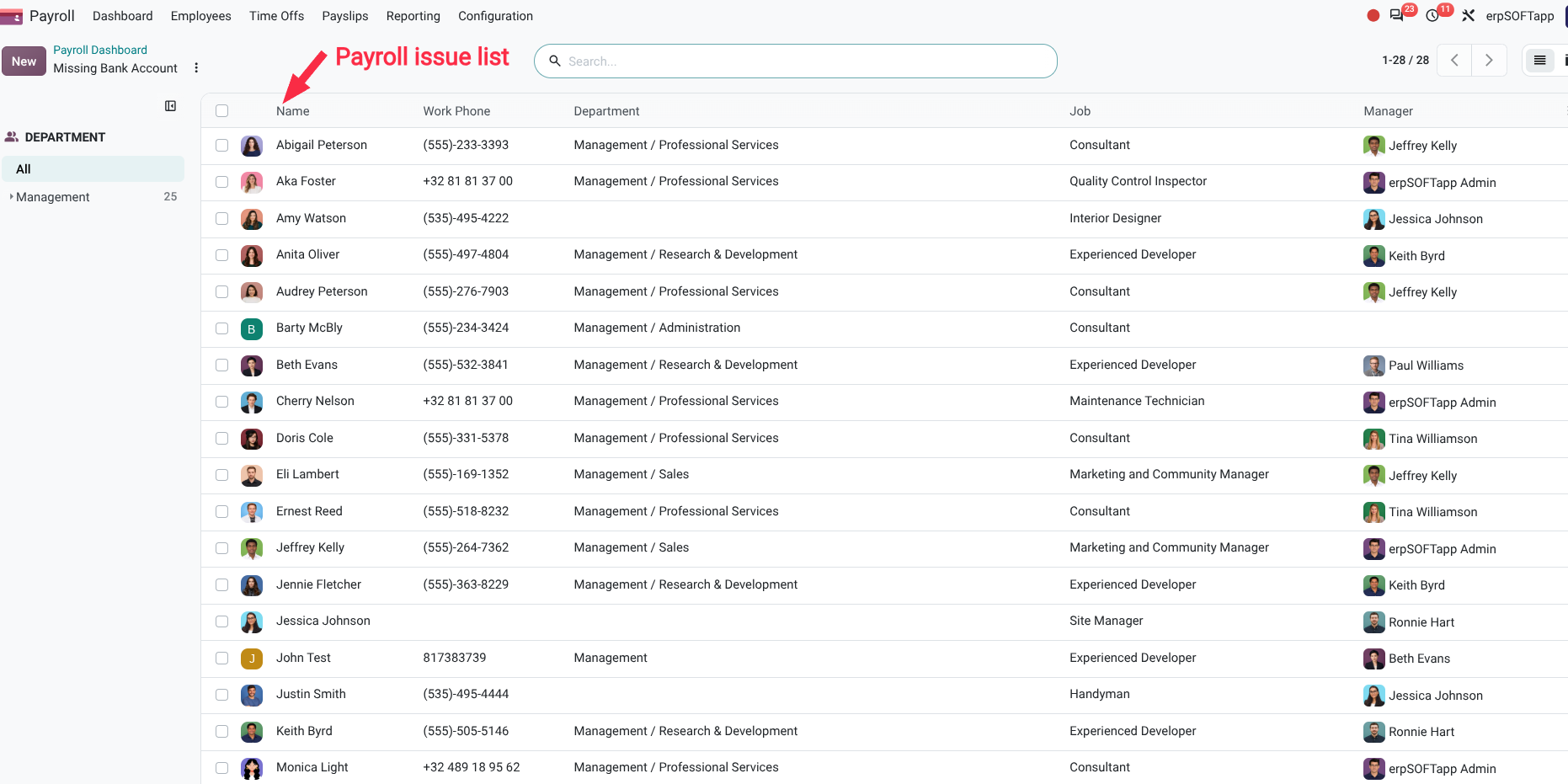
Odoo's redesigned payroll dashboard is intended to help teams identify these issues earlier.
Rather than functioning only as a place to review payroll information, the dashboard highlights items that need attention before the payroll process moves forward.
Examples discussed during the session included:
- Missing bank details: Employees may have incomplete payment information, making it difficult to process their salaries correctly.
- Outdated payslips: Payroll teams may need to review or update payslip information that is no longer current.
By bringing these issues to the attention of payroll users, the dashboard helps them identify what needs to be resolved before completing the pay cycle.
This creates a more proactive approach to payroll administration.
Instead of waiting for an error to appear during processing, payroll teams can use the dashboard as a readiness checklist: identify incomplete information, resolve outstanding issues, and move the payroll process forward.
For organisations with many employees, this can help reduce last-minute corrections and make payroll preparation more organised.
Recruitment and Compensation Get Smarter Tools
Recruitment involves reviewing applications, identifying suitable candidates, comparing qualifications and discussing compensation with potential employees.
These activities can require considerable time, particularly when recruiters receive large volumes of applications or need to prepare salary offers that meet specific compensation requirements.
The recruitment and compensation updates demonstrated in Odoo 20 introduce tools intended to make parts of this process more efficient.
Use Smart Matching to review candidate applications
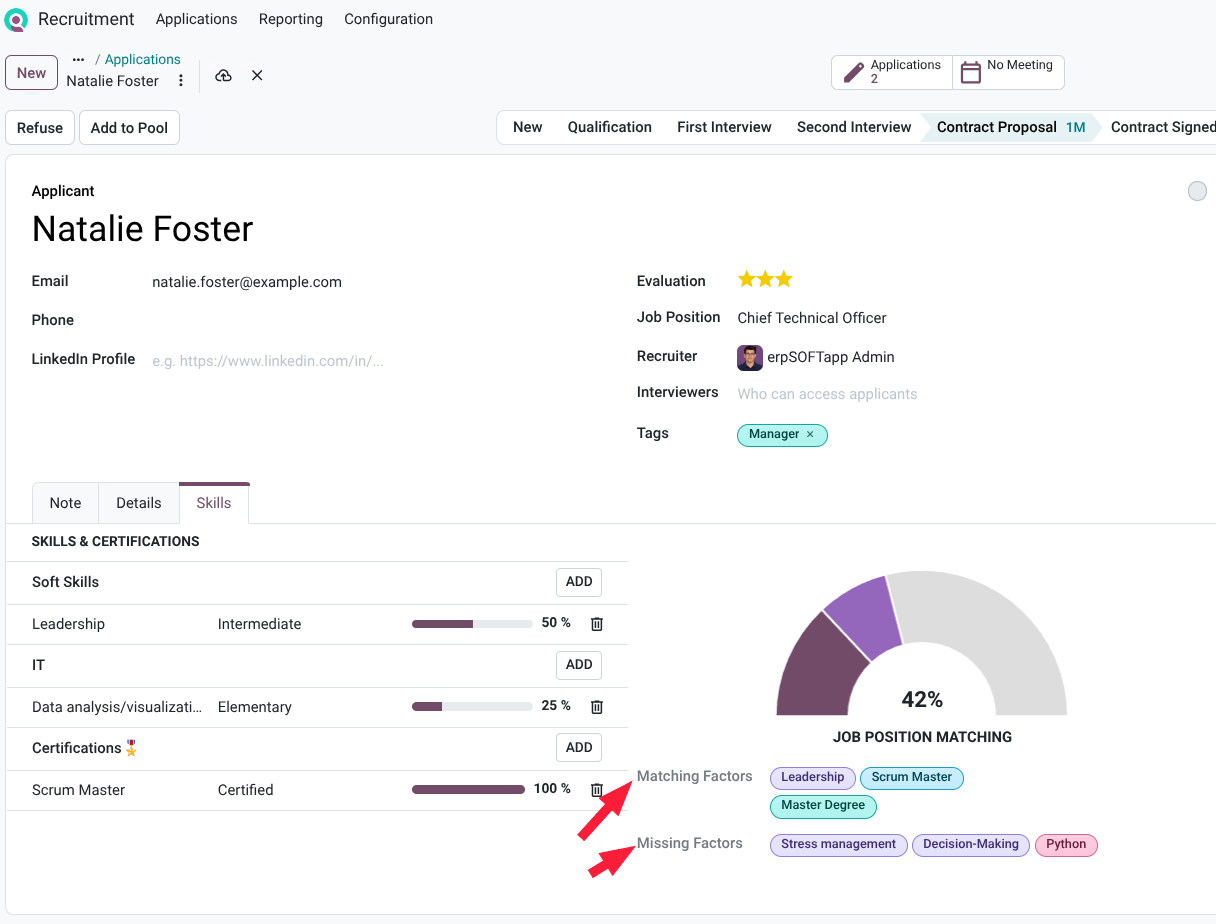
The recruitment updates include Smart Matching, which uses Optical Character Recognition (OCR) to read information from CVs and compare candidate skills with the requirements of a job description.
OCR allows the system to extract readable information from documents, making it possible to identify relevant details without recruiters having to review every document manually from beginning to end.
For example, if a company is recruiting for an accounting position, the system can read information from submitted CVs and compare the candidates' listed skills with the requirements of the job description.
This can help recruiters identify applications that appear relevant to the position and organise their initial review more efficiently.
For recruitment teams handling large numbers of applications, the feature can reduce some of the repetitive work involved in screening CVs.
However, Smart Matching should be treated as a support tool rather than a replacement for human assessment.
A candidate's suitability involves more than the presence of particular keywords or skills on a CV. Recruiters still need to consider experience, qualifications, communication skills, and other relevant factors before making hiring decisions.
Calculate gross salary from a desired net salary
The session also demonstrated a Net to Gross salary calculator designed to support compensation discussions.
When preparing an employment offer, recruiters and HR teams may need to work backwards from the amount a candidate wants to receive after deductions to determine the corresponding gross salary.
This can be challenging because the relationship between gross and net pay depends on factors such as tax rules, statutory deductions, and the employee's compensation structure.
The calculator is intended to simplify this process by allowing users to enter a desired net salary and calculate the corresponding gross amount under the selected payroll configuration.
During the demonstration, entering a net monthly salary of €3,000 produced a gross salary figure of €5,518.61.
This figure reflects the specific country rules and compensation configuration used in the demonstration. It should not be treated as a standard conversion rate or applied to employees in other countries.
The feature was described as available for selected localisations, so organisations should confirm whether their own country and payroll requirements are supported.
For businesses using a supported localisation, the calculator can help HR teams prepare compensation offers and have more informed salary discussions with prospective employees.
A Connected Approach to HR Operations
Taken together, the Odoo 20 HR updates point towards an HR suite designed to make everyday workforce management easier for both employees and administrators.
Each improvement addresses a different part of the employee lifecycle and the processes that support it:
- Employee access: Light Users give employees a more limited way to access essential self-service functions.
- Employee departures: The End of Collaboration workflow provides a structured way to manage notice periods and archive dates.
- Workforce scheduling: More flexible recurring schedules help organisations manage different working patterns.
- Time management: Unified Time Types provide a shared configuration point for work entries and time-off classifications.
- Attendance: Automatic check-outs, break duration recording, and photo verification support more complete attendance records.
- Payroll: The redesigned dashboard helps teams identify missing information and other issues before processing salaries.
- Recruitment: Smart Matching helps recruiters compare CV information with job requirements.
- Compensation: The Net to Gross calculator supports salary discussions in selected localisations.
The practical value of these updates will depend on how well organisations configure the tools around their workforce, internal policies, and local requirements.
However, the overall direction is clear: employees should be able to complete routine HR tasks more independently, while managers and HR professionals should have better tools to monitor information, manage exceptions, and make informed decisions.
By reducing repetitive administrative work and improving access to workforce information, Odoo's HR tools can help organisations create more organised and connected HR processes.
The goal is not simply to digitise existing paperwork. It is to make everyday HR activities easier to complete and the information behind them easier to manage.