
A business's inventory management needs change as it grows. A small business may only need a reliable way to track the products it buys and sells. As operations expand, however, managing stock becomes more demanding. Businesses may need to automate replenishment, coordinate warehouse activities, manage incoming deliveries, allocate limited stock to customer orders, and maintain visibility across multiple companies.
The challenge is finding an inventory management system that can support this growth without introducing unnecessary complexity.
At Odoo Experience 2026, inventory exper Antoine Lemaigre presented several updates in Odoo 20 designed to support businesses at different stages of operational growth. The features demonstrated range from basic stock tracking through invoicing to more advanced warehouse workflows involving replenishment, allocation, barcode operations, and inter-company transfers.
The underlying idea is to give businesses the flexibility to start with the inventory tools they need today and introduce more advanced processes as their operations become more complex.
Start with Stock Tracking Inside Invoicing
Not every business needs a dedicated inventory application from the beginning. For smaller businesses, setting up and managing a full warehouse operation may introduce more processes than are necessary for their current needs.
Odoo 20's MiniStock feature addresses this by providing basic stock visibility directly within the invoicing workflow.
As invoices are validated and purchase orders are confirmed, MiniStock updates important stock quantities, including:
- On-hand stock: The quantity of a product currently recorded as physically available in stock.
- Stock available for use: The quantity available for new requirements after accounting for existing commitments.
- Forecasted stock: The expected stock position based on incoming and outgoing movements.
This allows businesses to keep track of their inventory as part of their everyday purchasing and billing activities, without immediately having to manage a more involved warehouse workflow.
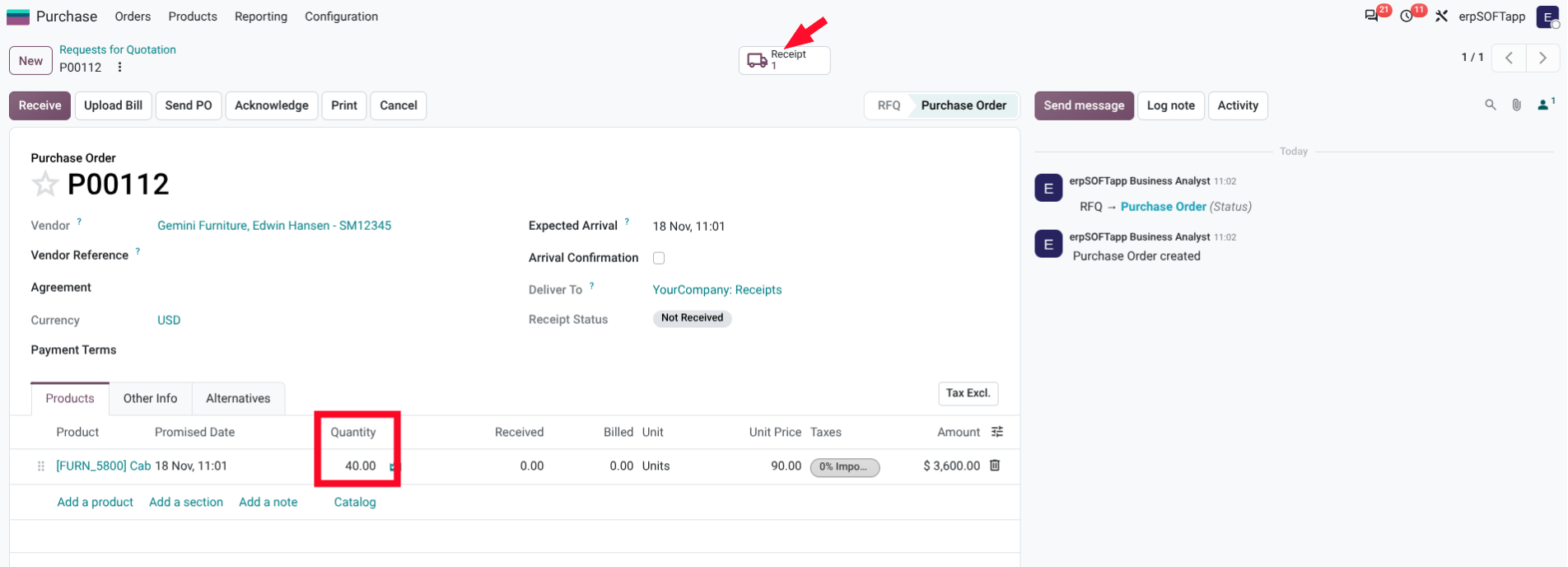
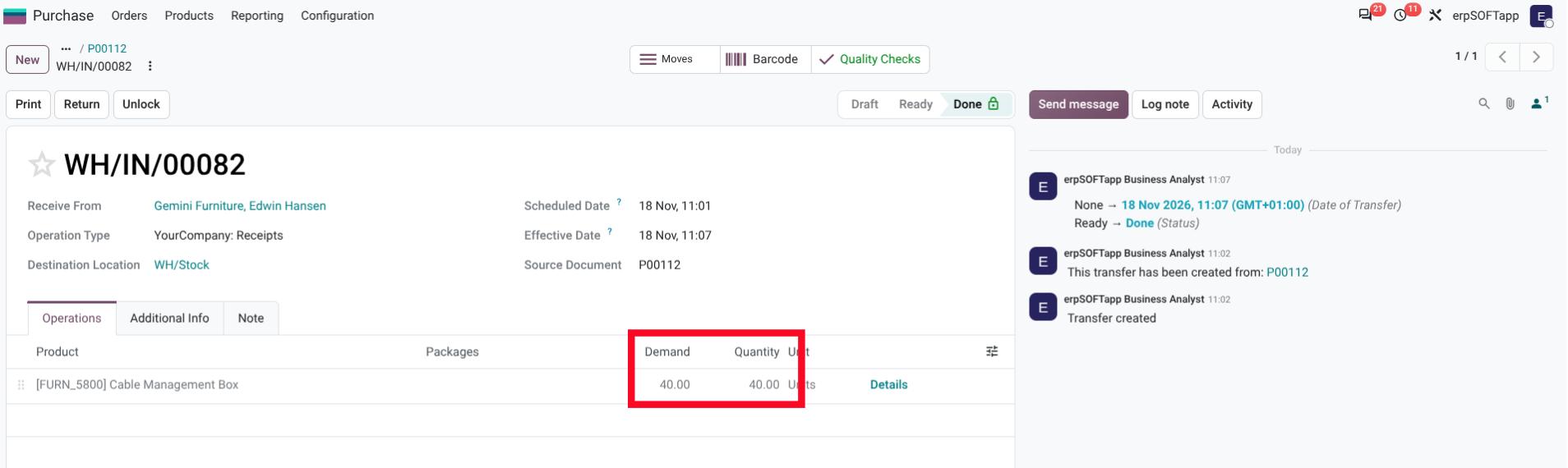
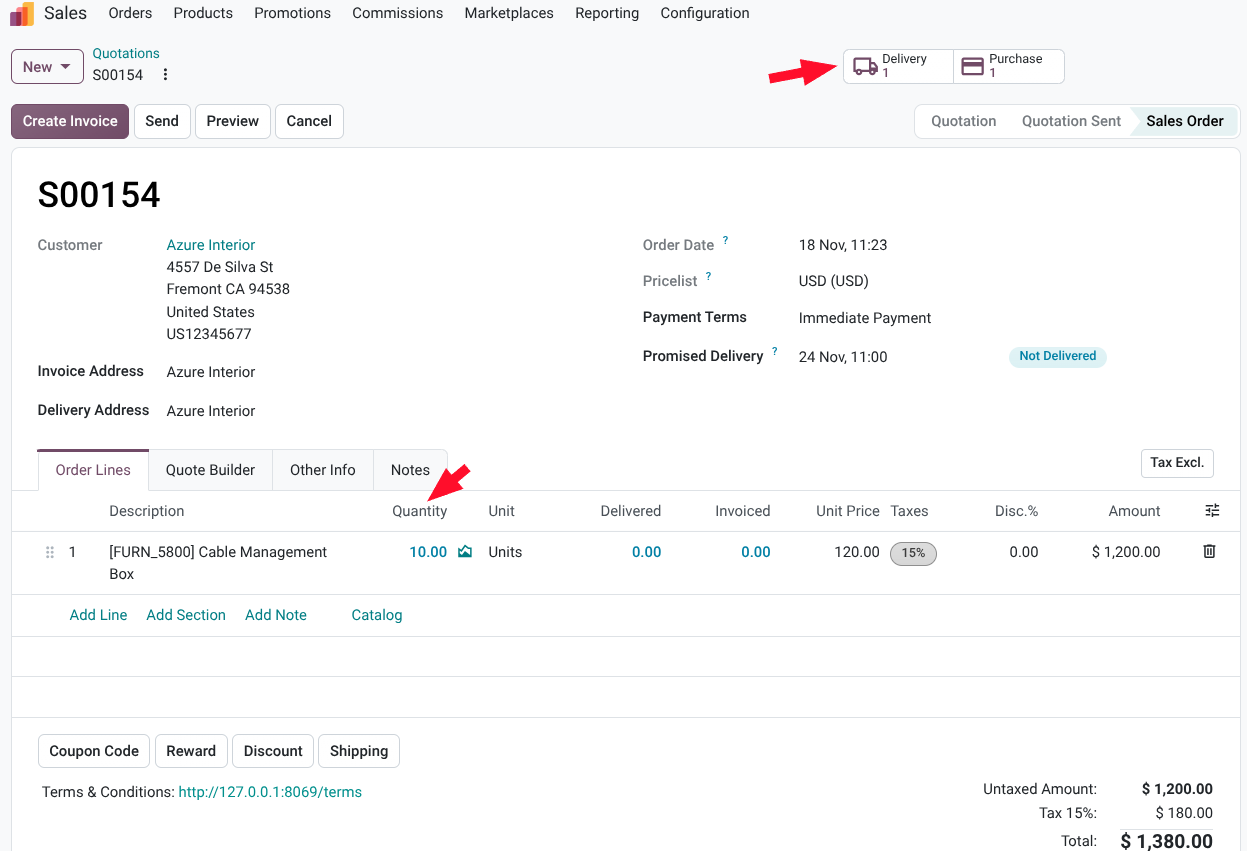
For example, a small retailer that purchases products from suppliers and sells them directly to customers can use MiniStock to monitor stock changes as purchases and sales are processed. This gives the business a clearer picture of what it has available and what it may need to replenish.
The benefit is a simpler starting point for inventory management. Rather than introducing every warehouse feature at once, businesses can begin with basic stock visibility and adopt more specialised inventory tools when their operations require them.

Use Demand History to Set Replenishment Levels
One of the recurring challenges in inventory management is knowing how much stock to keep.
Ordering too little can lead to stockouts, delayed customer orders, and missed sales opportunities. Ordering too much can tie up working capital, increase storage requirements, and leave businesses holding products they may not need immediately.
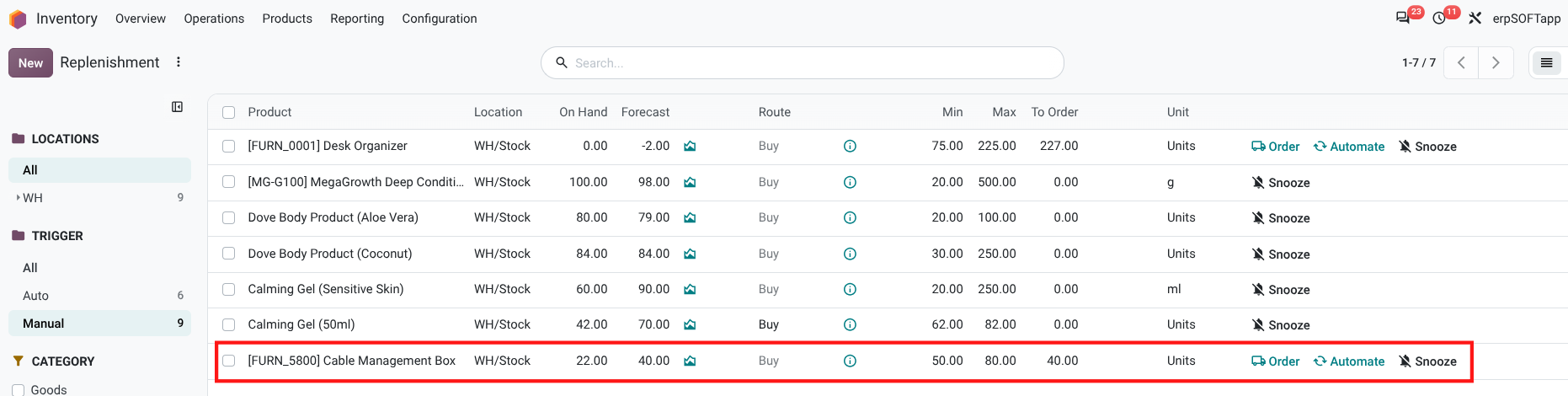
Odoo 20 introduces improvements that help businesses determine minimum and maximum stock levels using historical demand.
The system can use previous sales or consumption data to calculate average daily demand. Businesses can then adjust this estimate to account for expected growth and use it to suggest stock thresholds that cover a chosen number of days.
For example, suppose a business sells an average of 10 units of a product each day. If it wants to maintain enough stock to cover 20 days of demand, it can use that demand estimate as a starting point for setting its replenishment levels.
If the business expects demand to increase, it can adjust the estimate accordingly before generating its suggested thresholds.
This gives purchasing and inventory teams a more data-informed approach to replenishment. Instead of relying entirely on guesswork or manually reviewing previous sales, they can use historical demand to establish a practical starting point for reorder rules.
However, historical demand should not be treated as a perfect prediction of future requirements. Seasonal changes, planned promotions, new products, supplier delays, and unexpected increases in demand can all affect how much stock a business needs.
The suggested minimum and maximum levels should therefore be reviewed and adjusted to reflect the business's actual operating conditions.
Direct Incoming Stock to the Orders That Need It
When stock is limited, deciding which customer orders should receive available or incoming products becomes important.
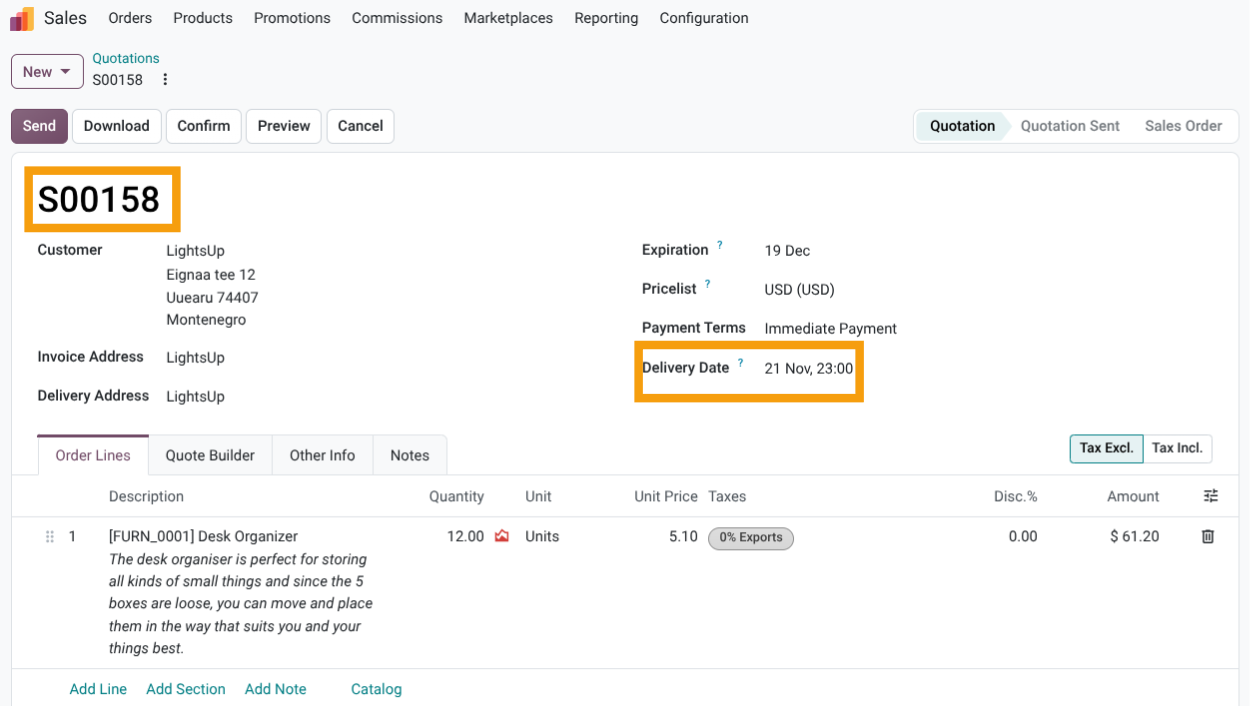
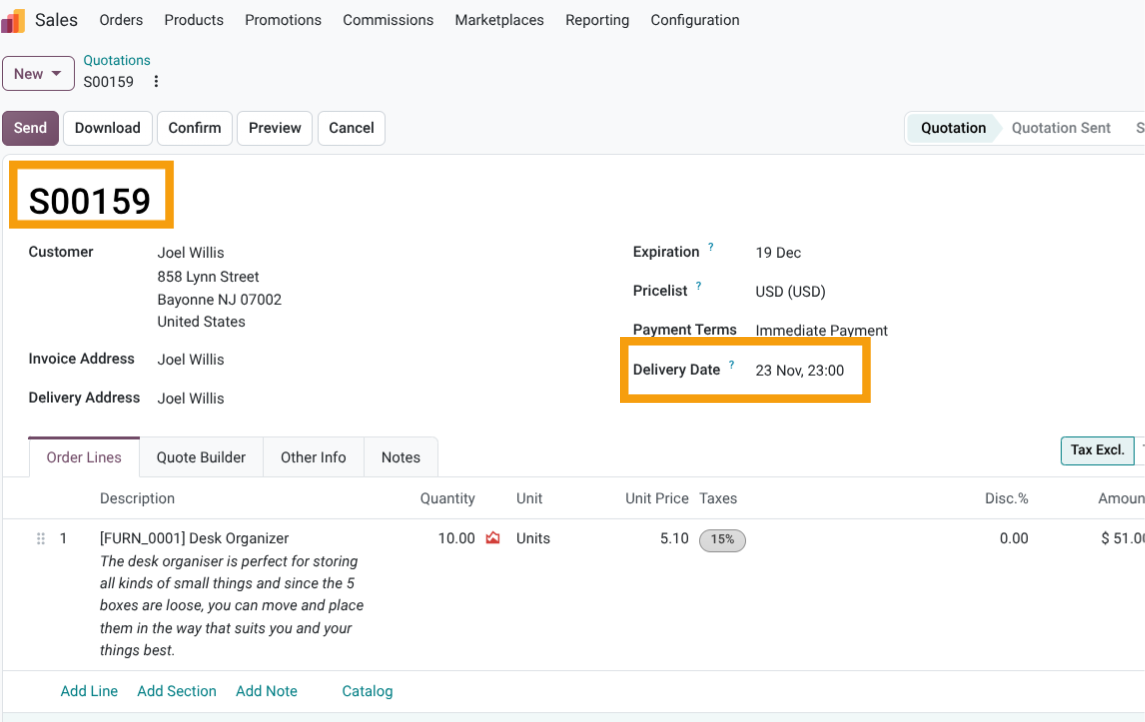
For example, a distributor may have several outstanding orders for the same product but only a limited quantity available. Some customers may have been waiting longer, while others may have urgent delivery requirements.
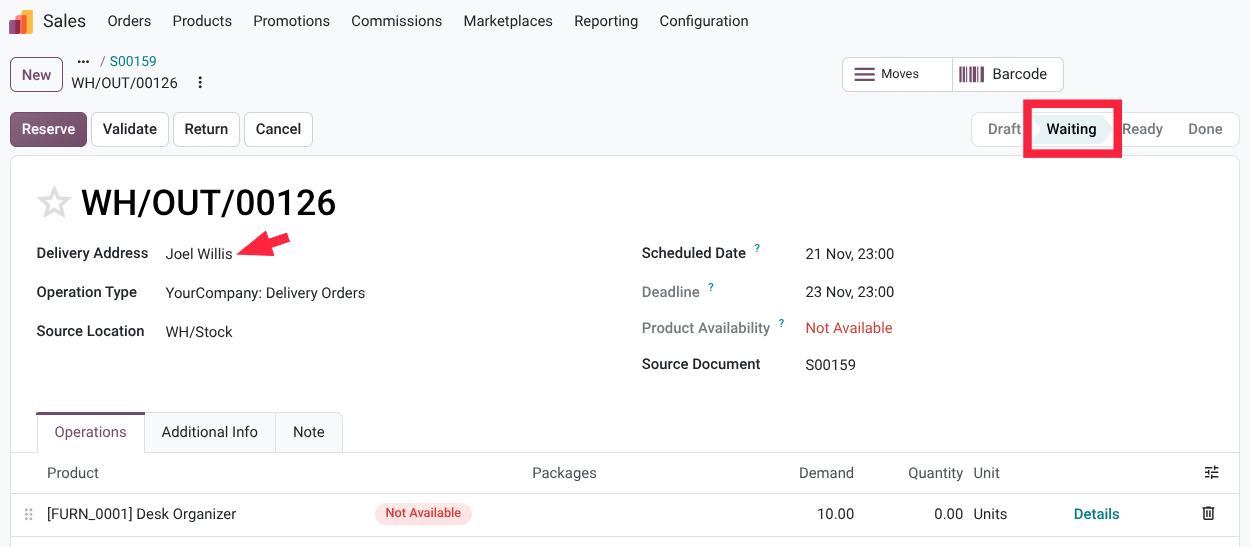
Without a clear allocation process, teams may struggle to determine which orders should be fulfilled first. This can lead to delays, confusion, and unnecessary back-and-forth between sales, purchasing, and warehouse staff.
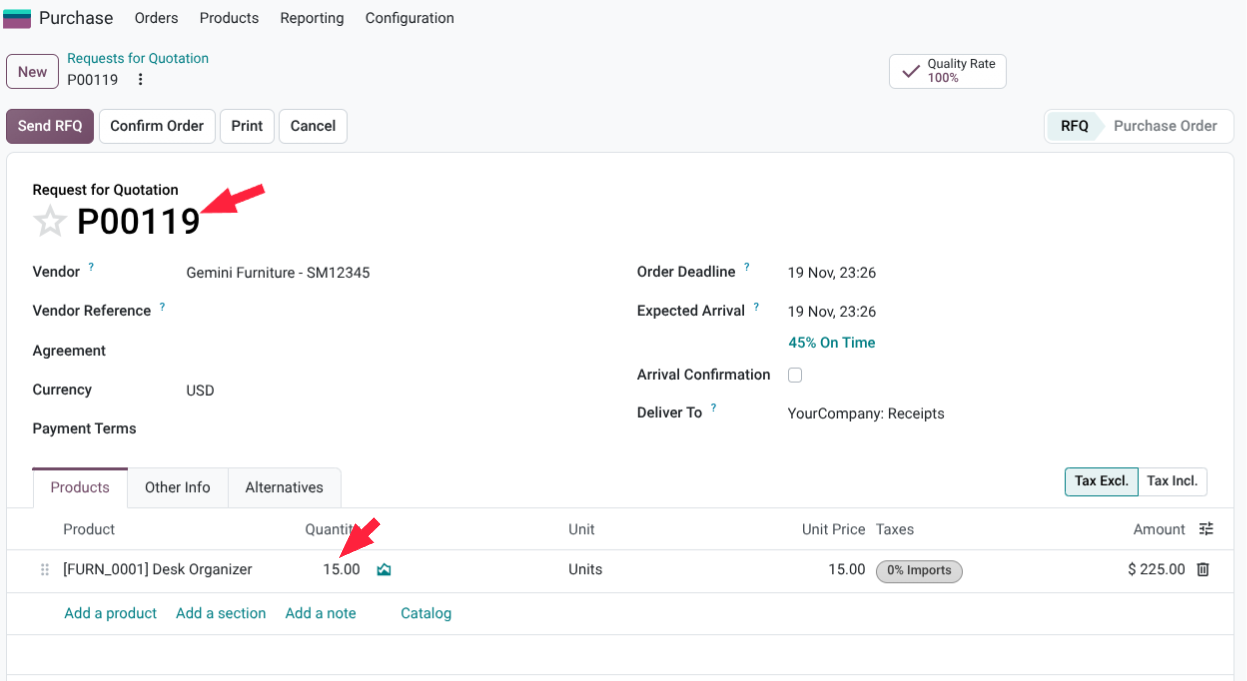
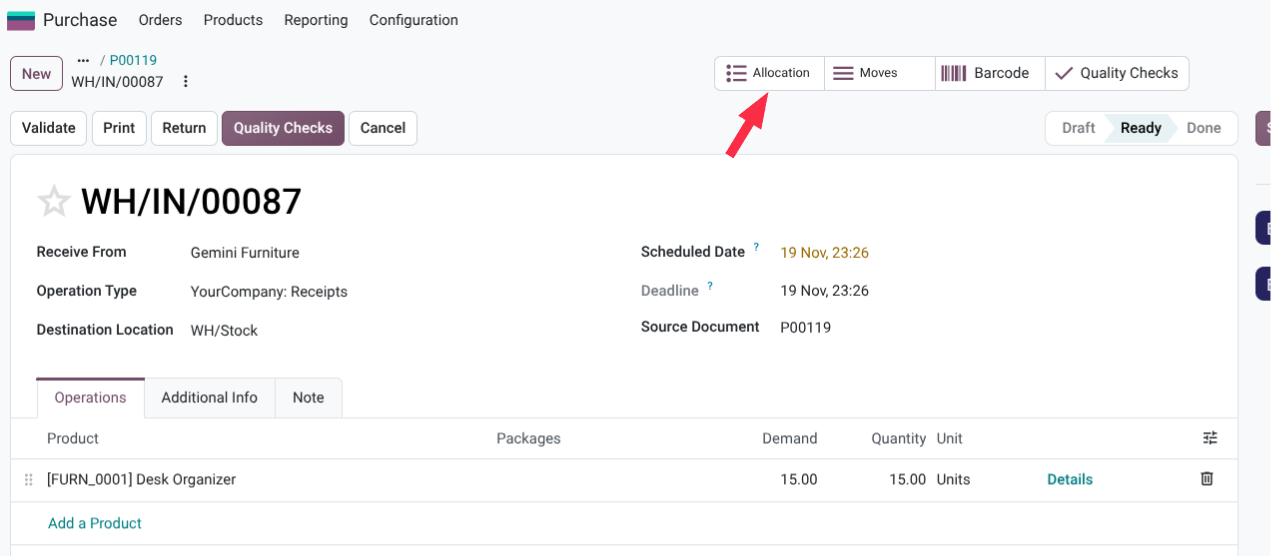
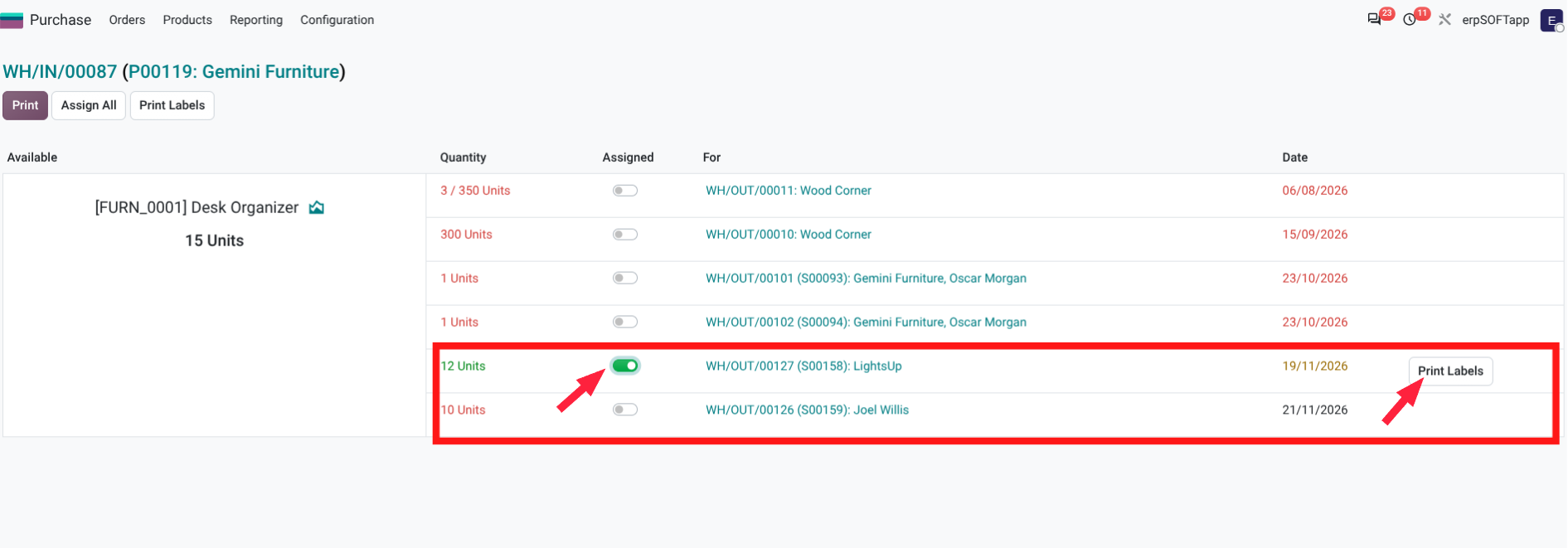
Odoo 20 introduces an updated Allocation Report to help businesses identify late or urgent orders and assign incoming products to the orders that need them.
This provides better visibility into how available stock should be distributed, particularly when multiple orders are competing for the same products.
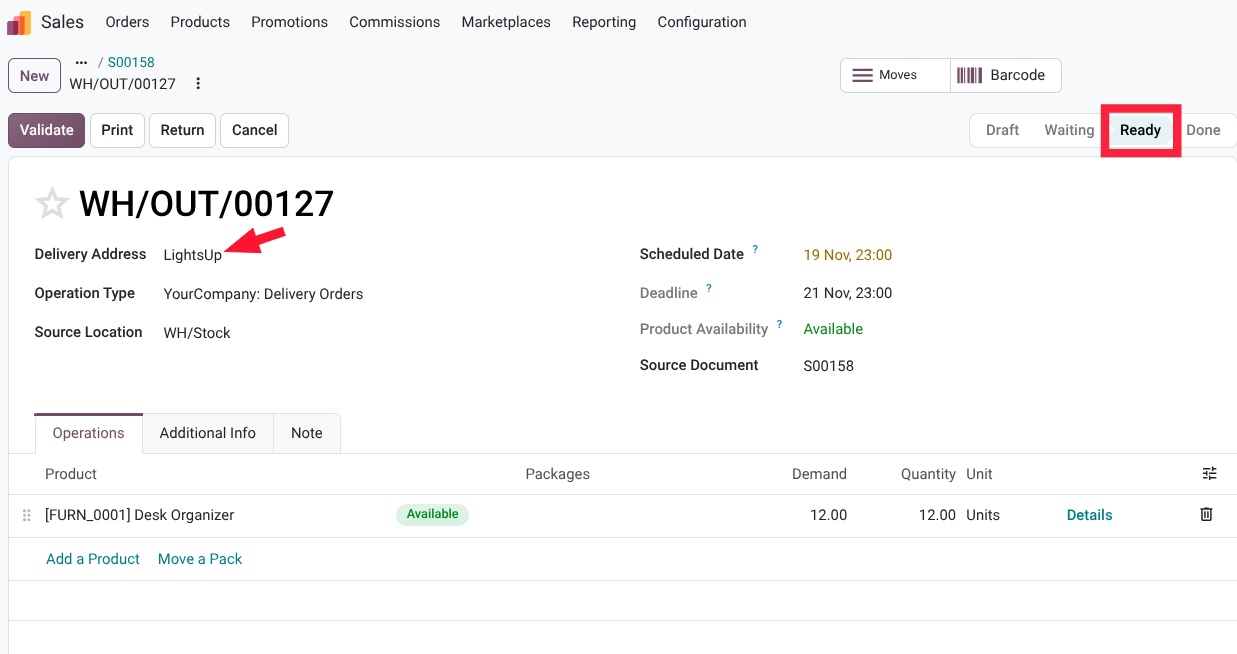
The allocation process can also extend into warehouse operations. In the demonstrated workflow, businesses can use a dedicated area for allocated products and automatically print labels for goods assigned to specific orders.
This helps warehouse staff distinguish between general stock and products that have already been committed to particular customer orders.
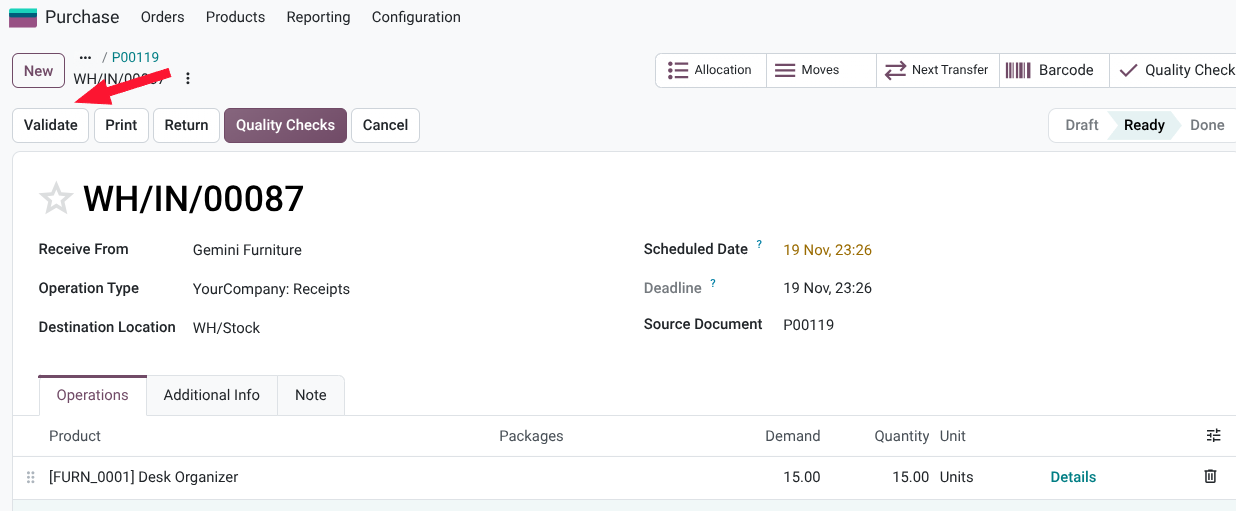
For example, when a shipment arrives containing products needed for several outstanding orders, the warehouse team can identify which items have been allocated and move them towards the appropriate fulfilment process.
The result is a more coordinated approach to stock allocation, helping businesses reduce the risk of allocated products being mixed up with general inventory or used for the wrong orders.
Make Receiving and Labeling More Efficient
Receiving goods is a critical part of warehouse management. Businesses need to confirm that incoming products have arrived, record the quantities received, and ensure that items are properly identified before they are moved into storage or prepared for fulfilment.
For businesses receiving frequent or large deliveries, this process can become time-consuming, especially when products from multiple purchase orders arrive together.
Odoo 20 introduces improvements designed to make receiving and product labeling more efficient.
Group incoming deliveries with Suggested Receipt Batches
A single supplier delivery may contain products belonging to several purchase orders. Processing each purchase order as a completely separate receiving task can create unnecessary steps for warehouse workers.
Odoo 20's Suggested Receipt Batches feature helps address this situation.
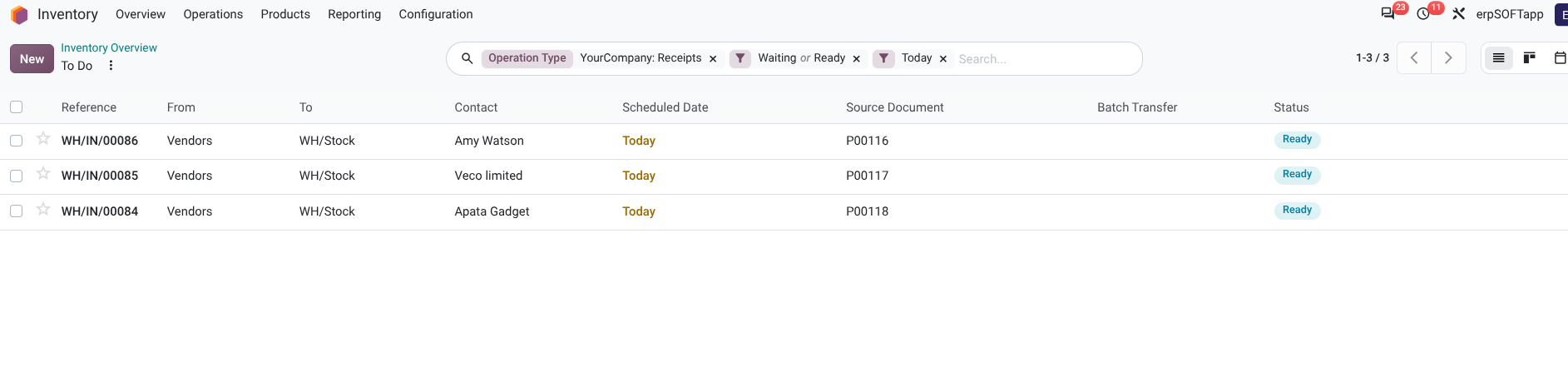
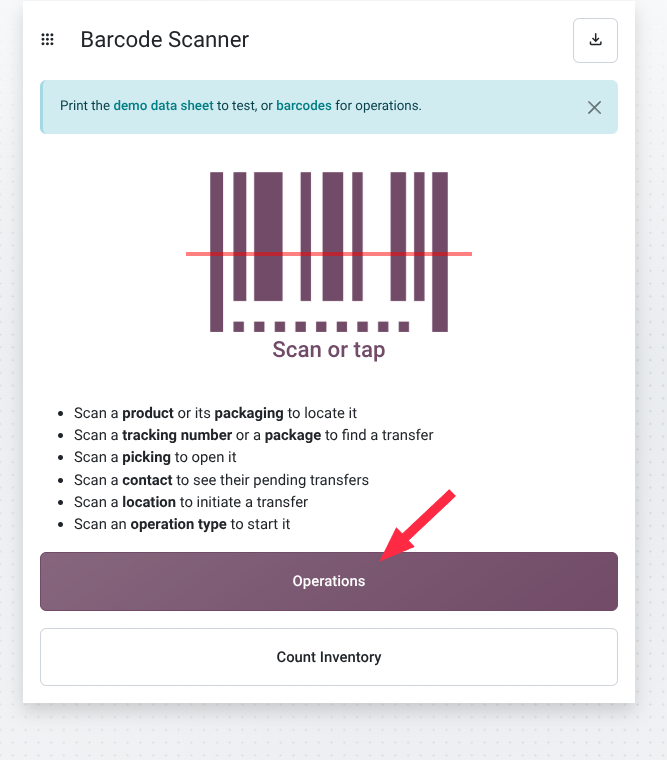
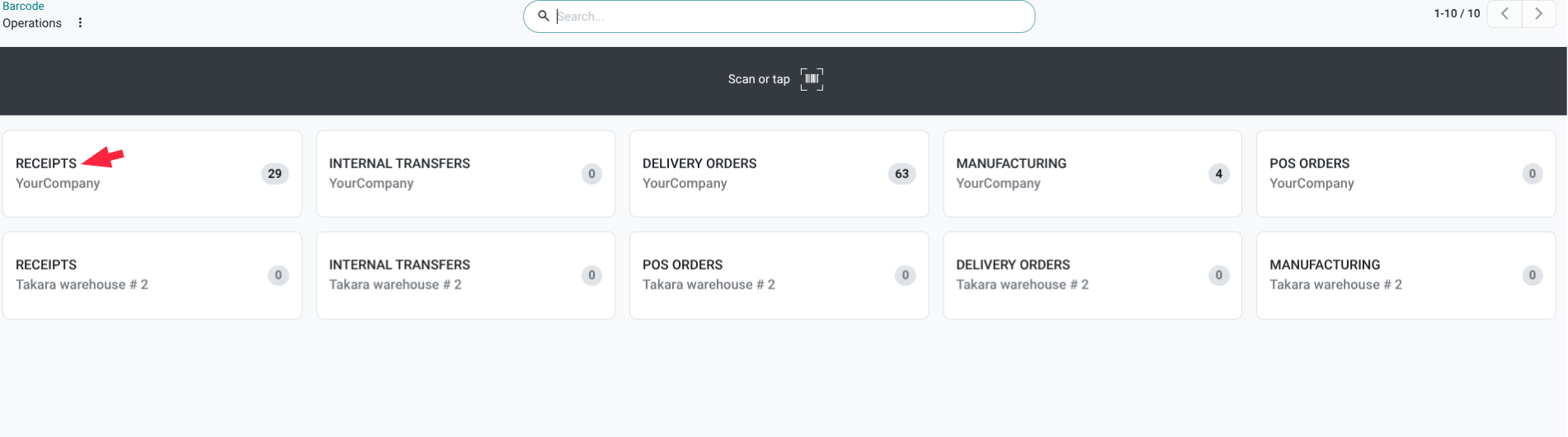
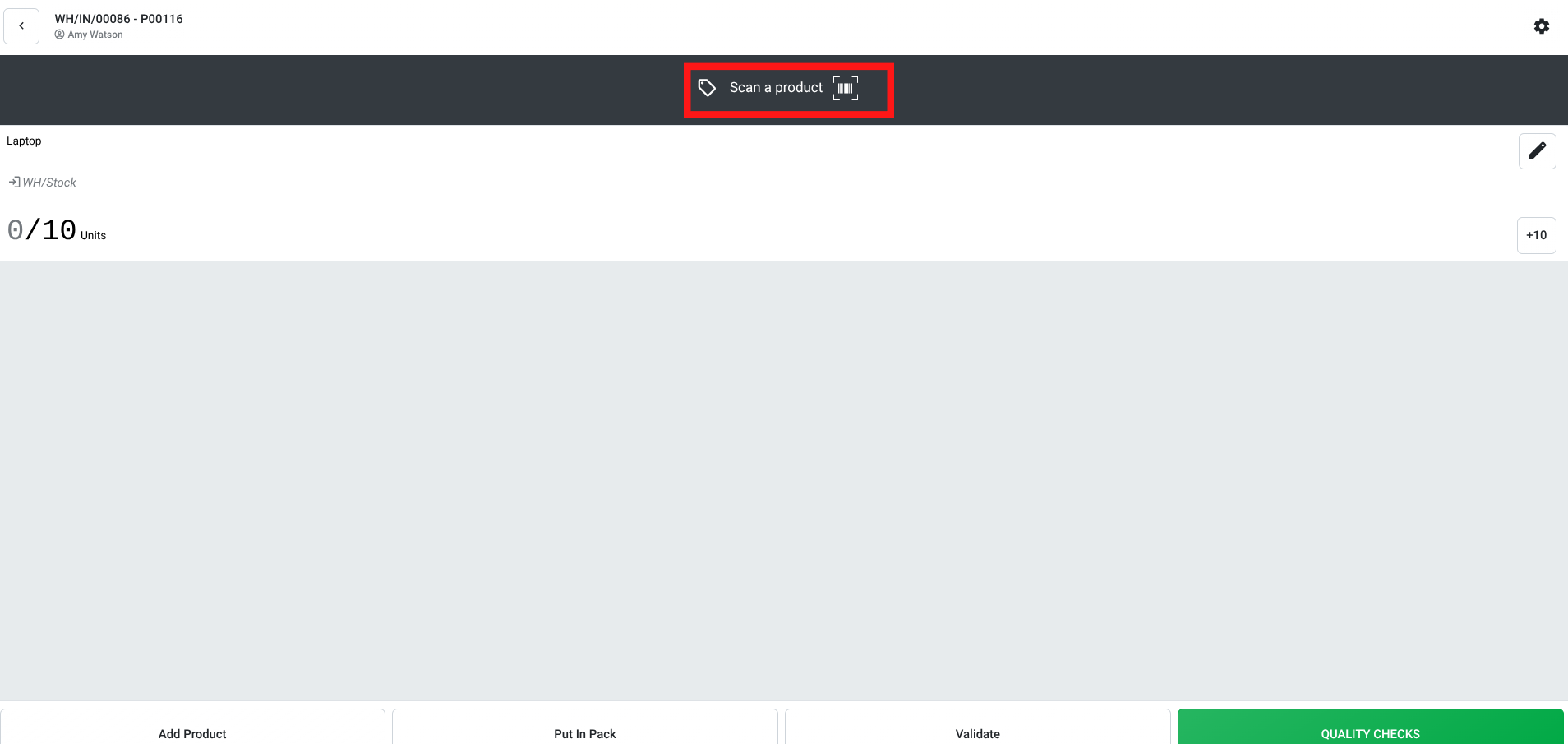
In the demonstrated workflow, when warehouse staff scan products from multiple purchase orders during one session, Odoo can suggest grouping the corresponding receipts into a batch.
This makes it easier to process related incoming goods together instead of treating every purchase order as an isolated task.
For example, a warehouse worker receiving a supplier delivery containing products from three different purchase orders can scan the items and use the suggested batch to coordinate the receiving activities.
The aim is to reduce friction at the receiving stage, improve the organisation of incoming goods, and help warehouse teams handle deliveries more efficiently.
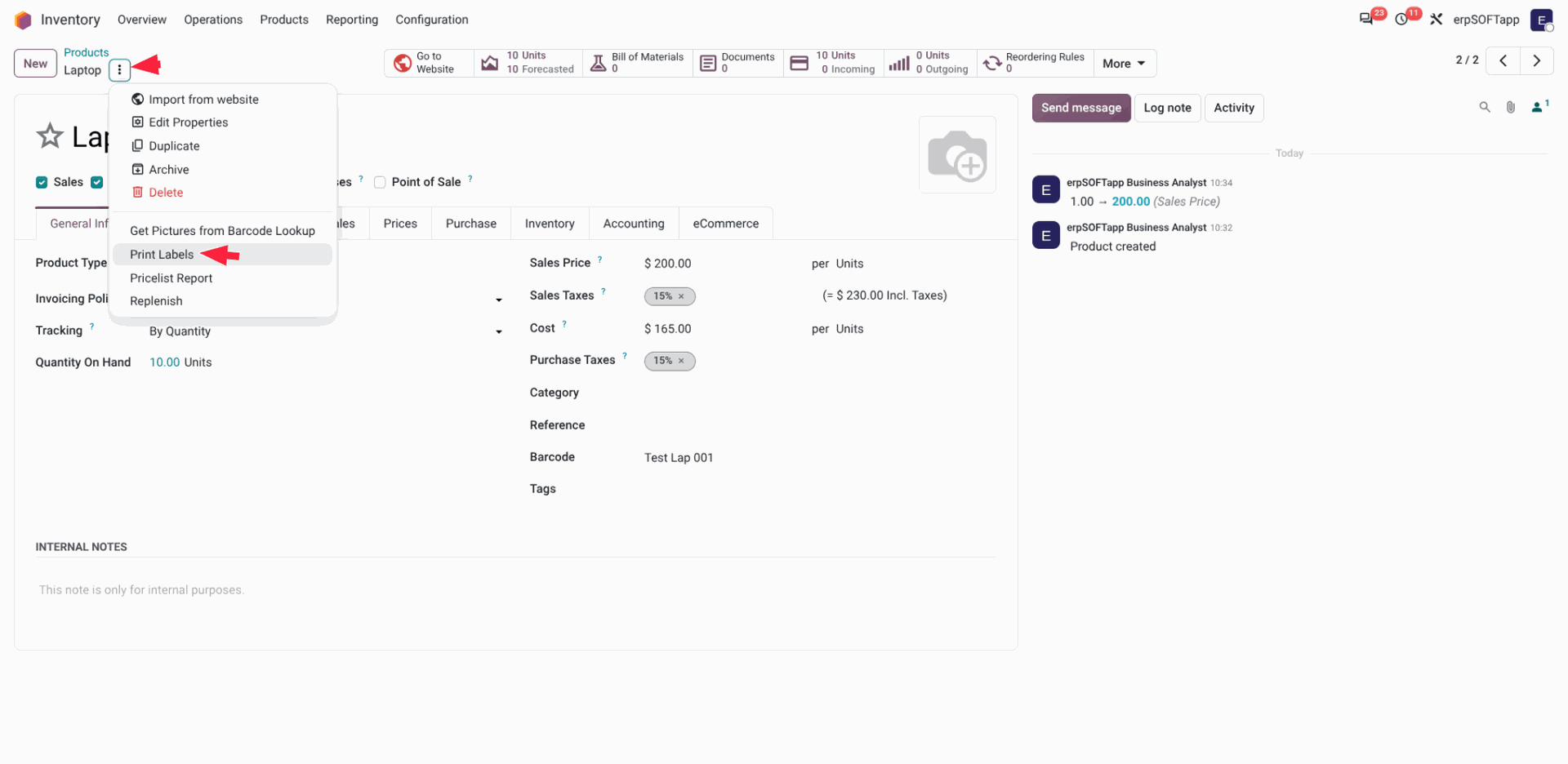
Print labels without an IoT device
Product labeling is another important part of warehouse operations. Labels help staff identify products, distinguish between lots or serial numbers, and manage packaged goods throughout the warehouse.
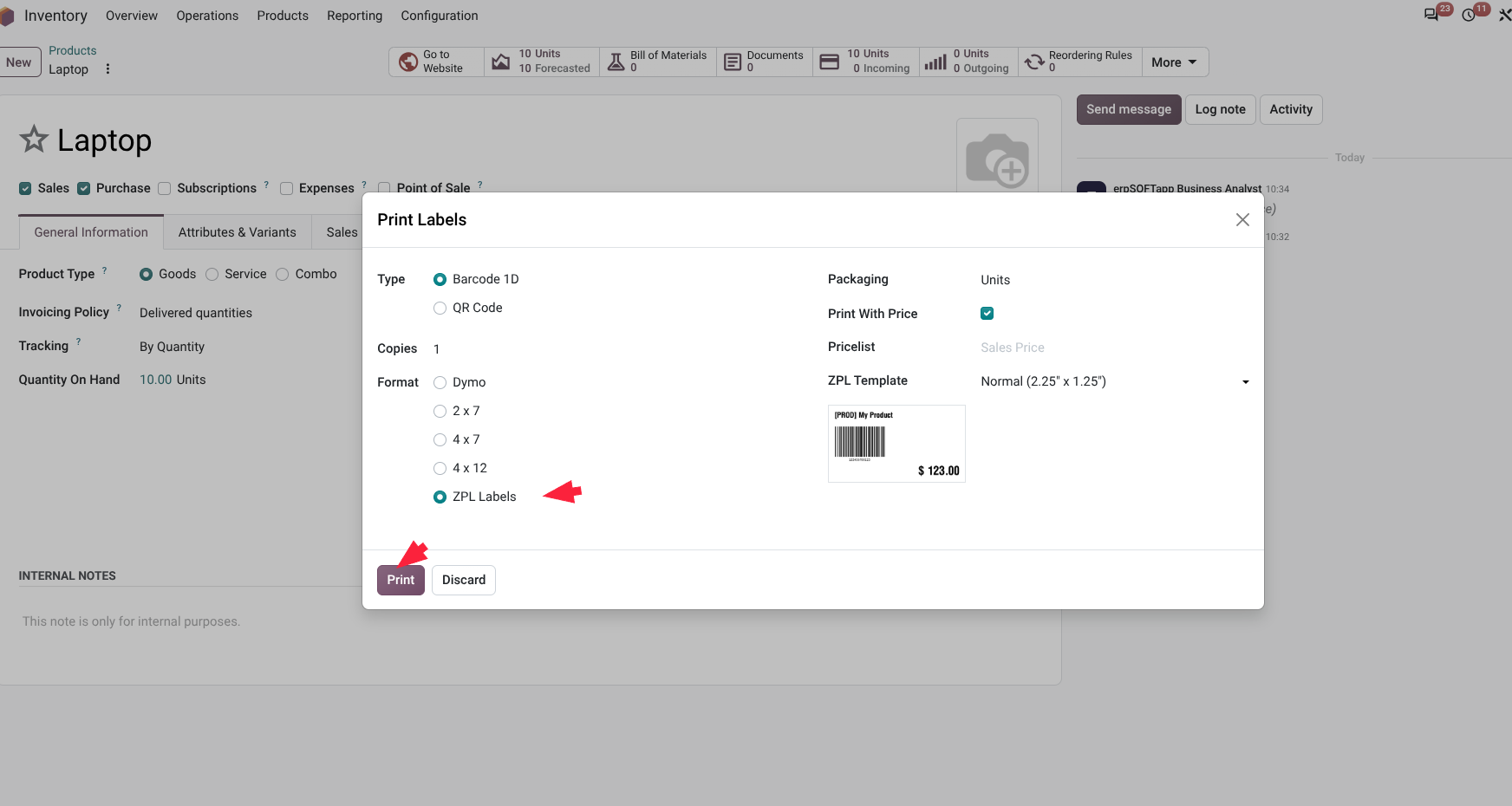
The Odoo 20 presentation highlighted improvements to ZPL label printing, including the ability to print labels without an IoT device.
It also demonstrated label creation for:
- Products: Labels containing product identification and other relevant details.
- Lots: Labels used to identify groups of products tracked under a particular lot.
- Packaging: Labels containing information about packaged goods.
Businesses can customise the information displayed on their labels to suit their operational requirements.
Removing the IoT device requirement for ZPL printing can simplify the printing setup for businesses that use compatible label printers.
However, the exact customisation options may differ depending on the label type. Businesses with detailed lot or serial-number labeling requirements should test their preferred formats before deploying them across a live warehouse operation.
Give Warehouse Teams a More Accessible Way to Work
As a business expands its warehouse operations, it may need to bring more employees into its inventory and barcode workflows.
Warehouse workers may need to scan products, process receipts, prepare orders, and record stock movements, even if they do not require access to the wider range of Odoo applications.
For businesses with large warehouse teams, providing full software access to every employee can also increase operating costs.
Odoo 20 introduces a Light User role for barcode usage, providing a lower-cost access option for employees who primarily need to work with the Barcode application.
This is intended to make barcode-based warehouse activities more accessible without requiring every warehouse operator to have the same level of system access as other business users.
The presentation also demonstrated a more visual scanning setup and revised Batch Picking logic.
Together, these changes are designed to improve the warehouse user experience and make it easier for operators to process multiple picking tasks efficiently.
For businesses managing high volumes of incoming and outgoing stock, these improvements can support more organised warehouse activities while helping manage the cost of software access as the team grows.
Coordinate Stock Across Companies
Businesses operating multiple legal entities often face additional challenges when managing inventory across their organisations.
For example, a group of companies may have separate warehouses, purchasing teams and accounting records, but still need to move products between entities to fulfil customer demand or balance stock availability.
Managing these movements can involve several administrative steps, particularly when businesses rely on separate sales and purchase documents to represent transfers between companies.
Odoo 20 introduces workflows intended to simplify inter-company stock movements and improve visibility into the financial side of these transactions.
Manage inter-company movements as transfers
The presentation demonstrated a workflow that allows stock movements between companies to be handled as transfers rather than relying on a more complex chain of sales and purchase documents.
This can simplify the operational process of moving goods between related companies.
For example, if one company has insufficient stock to fulfil a requirement but another company within the group has the products available, the transfer workflow can support the movement of those goods between the two entities.
The aim is to make inter-company stock movements easier to coordinate while maintaining visibility over where products are moving.
Review financial differences with the transit report
Moving inventory between legal entities can also have financial implications. Businesses may need to account for differences between the values recorded by the sending and receiving companies.
Odoo 20 introduces a transit report that shows the financial difference between companies, supporting the month-end process of reviewing and re-invoicing these movements.
This provides accounting teams with information they can use when reconciling inter-company transactions.
The presentation also demonstrated cross-company shipping, where one company can fulfil an order using stock held by another company.
This can be particularly useful for business groups that operate multiple entities but want to make better use of their combined stock availability.
There are still some manual steps to consider. During the Q&A session, the speaker noted that the inter-company report currently requires manual filtering for re-invoicing.
Businesses should therefore account for this requirement when designing their month-end procedures rather than assuming that the entire process is automated.
Test the Workflow, Not Just the Feature
The Odoo 20 Inventory updates reflect an important principle: inventory management should support the way a business operates, rather than force every business into the same level of complexity.
A smaller business may benefit from starting with MiniStock and basic stock visibility. As it grows, it may need demand-based replenishment, improved stock allocation, more efficient receiving and barcode workflows. Businesses operating multiple legal entities may eventually require more structured inter-company transfers and reporting.
The features provide different ways to address these requirements, but adopting them successfully requires more than simply enabling them.
Before introducing a new workflow across a live operation, businesses should test it using realistic products, suppliers, order patterns, and staff roles in a test database.
There are a few areas worth paying particular attention to:
- Replenishment suggestions: Check whether historical demand reflects actual purchasing and sales patterns, and adjust for seasonal changes or expected growth.
- Stock allocation: Confirm that the allocation process reflects how the business prioritises customer orders and handles limited stock.
- Receipt batching: Test how suggested batches fit into the warehouse's actual receiving process.
- Label printing: Verify that the available label formats support the product, lot, and packaging information required.
- Warehouse access: Confirm that the Light User role provides the necessary access for the barcode tasks employees need to perform.
- Inter-company transactions: Understand the financial reporting and manual filtering requirements before introducing the workflow into month-end procedures.
The most effective inventory setup is one where the system's processes, automation, and access permissions reflect the business's real operational needs.
Conclusion
As businesses grow, inventory management becomes more than keeping track of products coming in and going out. It involves maintaining the right stock levels, coordinating warehouse activities, allocating products to customer orders, and ensuring that different parts of the organisation have accurate stock information.
Odoo 20 introduces improvements that address these requirements at different levels of operational complexity. From MiniStock for basic stock visibility to demand-based replenishment, allocation reporting, barcode improvements, and inter-company transfers, the updates give businesses more ways to manage inventory as their needs evolve.
The goal is not to introduce complexity for its own sake. It is to build an inventory process that can support the business today while providing room to grow.